
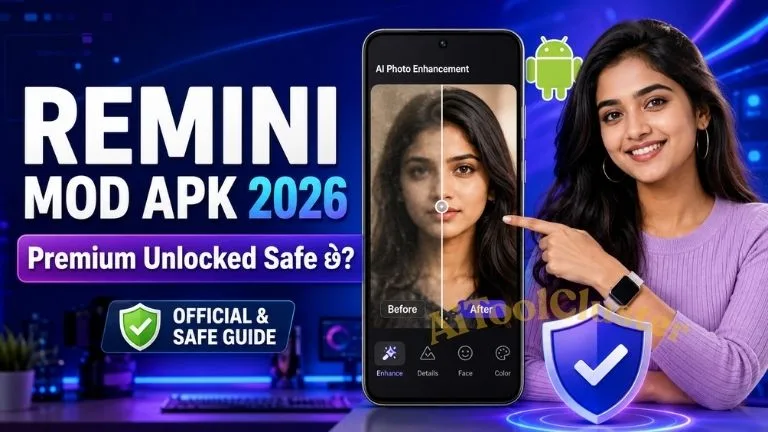
Remini mod Apk એક AI-powered photo અને video enhancement service છે. તેનો મુખ્ય ઉપયોગ blurred, pixelated, faded, scratched અથવા low-resolution imageને વધુ clean અને sharp દેખાડવાનો છે. Official Remini website મુજબ તેમાં Unblur, Denoiser, Old Photos Restorer, Image Enlarger, Colour Fixer, Face Enhancer, Background Enhancer અને supported Video Enhancer જેવી tools મળે છે.
App beginner માટે સરળ છે. સામાન્ય રીતે photo upload કર્યા પછી AI processing થાય છે અને screen પર Before/After result મળે છે. Old family album, portrait, selfie, social-media photo, product image અથવા mobile cameraથી લીધેલી dark picture માટે તેનો ઉપયોગ થઈ શકે છે. જોકે original photoમાં detail જ ન હોય તો Remini exact original detail પાછી લાવી શકતું નથી.
Remini Mod APK શું છે?
APK એટલે Android application installation package. Google Play Store પરથી મળતું package official publisher દ્વારા distribute થાય છે. જ્યારે Remini Mod APK, Remini Pro Mod APK અથવા Remini Premium APK original packageમાં અજાણ્યા third party દ્વારા ફેરફાર કરીને upload કરવામાં આવે છે.
ઘણી websites “Premium Unlocked,” “No Ads,” “Unlimited Pro Cards,” “No Watermark” અથવા “Free Subscription” જેવા શબ્દો વાપરે છે. આ claims Remini company દ્વારા verify કરેલા નથી. Website પર latest version number, green download button અથવા virus scanned badge દેખાય એટલે file official બની જતી નથી.
| Title | Link |
| Download Official Link (Play Store) | Download Here |
| Download Iphone Link | Click Here |
| Remini App OfficiaL Website | Click Here |
| AiToolCluster HomePage | Click Here |
Remini Official App Details
| App Information | Verified Details |
|---|---|
| Official Name | Remini – AI Photo Enhancer |
| Official Developer | Bending Spoons |
| Android Package ID | com.bigwinepot.nwdn.international |
| Main Use | Old photo restoration, face enhancement, image sharpening, denoise, colour improvement અને supported video enhancement |
| Available Platforms | Android, iPhone, iPad અને Official Web Enhancer |
| Price Model | Free download; ads અને optional in-app purchases. Plan અને price region અથવા account પ્રમાણે બદલાઈ શકે છે. |
| Internet Required | મુખ્ય AI processing online service દ્વારા થતી હોવાથી stable internet જરૂરી રહે છે. |
| Android Support | Google Play listing મુજબ Android 7થી જૂના versionમાં latest updates support ન પણ થાય. |
Reminiની મુખ્ય Features
Unblur and Sharpen
Soft focus, camera shake અથવા compressed photoને વધુ sharp દેખાડે છે. Final quality source image પર આધાર રાખે છે.
Old Photo Restoration
જૂના scanned photoમાં રહેલો blur, fading, visible damage અને noise ઓછો કરીને cleaner digital copy બનાવે છે.
Face Enhancement
Portrait, selfie અને group photoમાં facial detail improve કરે છે. Eyes, teeth અને skinને original સાથે compare કરવી જરૂરી છે.
Denoise and Colour Fix
Grain ઘટાડવા, faded colour સુધારવા અને dark photoના toneને વધુ balanced બનાવવામાં મદદ કરે છે.
Image Enlargement
Official site મુજબ image અથવા videoનું size 2x સુધી upscale કરવાની feature ઉપલબ્ધ હોઈ શકે છે.
AI Photos
Supported mobile versionમાં userના photos પરથી stylised અથવા professional-looking AI portraits બનાવી શકાય છે.
Remini Official App vs Remini Mod APK
| Comparison Point | Official Remini App | Unofficial Mod APK |
|---|---|---|
| Publisher | Official storesમાં Bending Spoonsની verified listing | Unknown અથવા unrelated third party દ્વારા modified |
| Premium Access | Free tier, trial અથવા paid planની current terms પ્રમાણે | Premium unlockedનો claim; permanent accessની guarantee નથી |
| Updates | Play Store અથવા App Store દ્વારા automatic updates | દરેક update માટે નવી unknown APK manually install કરવી પડે |
| Code Trust | Official distribution channelમાંથી package મળે છે | Codeમાં શું add અથવા remove થયું છે તે user verify કરી શકતો નથી |
| Security Check | Google Play safety system સાથે official installation | Sideloaded app warning, blocking અથવા malware risk થઈ શકે |
| Customer Support | Official help centre, privacy policy અને subscription support | Modified build માટે official support મળવાની શક્યતા ઓછી |
| Recommended | હા, permissions અને plan terms check કર્યા પછી | ના, ખાસ કરીને private photos અથવા banking apps ધરાવતા primary phoneમાં |
Remini Pro Mod APK Download કરવાના Risk
1. Modified fileમાં hidden code હોઈ શકે
Unknown APK photo access ઉપરાંત notification, overlay, storage અથવા Accessibility permission માગી શકે છે. Photo enhancement માટે જરૂરી ન હોય તેવી permission માગે તો app install અથવા use ન કરવી.
2. Private photos leak થવાનું જોખમ
Photo editorને naturally gallery access જોઈએ છે. તેથી source trustworthy હોવો ખૂબ મહત્વનો છે. Aadhaar Card, PAN Card, bank document, medical report, intimate photo, school confidential data અથવા office record કોઈ unverified APKમાં upload ન કરવો.
3. Unlimited Pro Cards કામ કરે તેની guarantee નથી
Reminiની ઘણી features online AI server અને account checking પર આધાર રાખે છે. Local APKમાં ફેરફાર કરવાથી remote server permanent unlimited processing આપશે જ એવું નથી. Mod version login error, server error અથવા no credit problem બતાવી શકે છે.
4. Security update મળતી નથી
Official appમાં compatibility અને security fixes store updateથી મળે છે. Modified version માટે ફરી અજાણી website પર જવું પડે છે. Old build future Android versionમાં crash પણ થઈ શકે છે.
5. Account અને subscription issue
Modified appમાં Google, Apple અથવા personal email accountથી login કરવાથી credential risk થઈ શકે છે. ઉપરાંત paid feature bypass કરવાનો પ્રયાસ service termsનું violation બની શકે છે.
Remini App Official Download Links
Random website પરથી “latest Remini APK” શોધવાને બદલે નીચે આપેલી verified linksનો ઉપયોગ કરો. Installation પહેલાં app name અને developer listing જરૂર check કરવી.
Official website: remini.ai. Feature, pricing, trial અને compatibility બદલાઈ શકે છે, તેથી payment પહેલાં official listing ફરી check કરવી.
Androidમાં Remini App Download કેવી રીતે કરવી?
- Phoneમાં Google Play Store open કરો.
- Search boxમાં Remini – AI Photo Enhancer લખો.
- Developer તરીકે Bending Spoons અને URLમાં package ID com.bigwinepot.nwdn.international verify કરો.
- Install button પર tap કરો. Official installation માટે “Install unknown apps” enable કરવાની જરૂર નથી.
- App open થયા પછી પસંદ કરેલા photo માટે જરૂરી permission જ allow કરો.
iPhone અથવા iPadમાં Remini કેવી રીતે Install કરવી?
- Apple App Store open કરીને Remini – AI Photo Enhancer search કરો.
- Official app listing verify કરીને Get button પસંદ કરો.
- Face ID, Touch ID અથવા Apple IDથી installation confirm કરો.
- થોડા photos edit કરવા હોય તો શક્ય હોય ત્યાં સુધી limited photo access પસંદ કરો.
Remini for PC કેવી રીતે વાપરવું?
PC અથવા laptopમાં Android emulator install કરવાની જરૂર નથી. Updated Chrome, Edge અથવા અન્ય browserમાં Official Remini Web open કરો. Login જરૂરી હોય તો official page પર જ કરો, photo upload કરો અને available enhancement option પસંદ કરો.
Official website મુજબ professional enhancement web પર available છે, પરંતુ કેટલીક Generative AI features mobile-only હોઈ શકે છે. કોઈ feature webમાં ન મળે તો unknown “Remini for Windows EXE” install કરવાને બદલે official mobile app check કરવી.
જૂનો અથવા ઝાંખો Photo Reminiથી Enhance કરવાની Step-by-Step રીત
- Printed photo હોય તો પહેલા તેની high-quality scan અથવા સીધી અને clear mobile photo બનાવો.
- Remini official app open કરીને Photo Enhance અથવા available enhancement option પસંદ કરો.
- Galleryમાંથી original qualityવાળો photo select કરો. WhatsAppથી વારંવાર forward થયેલી copy ટાળો.
- AI processing complete થાય ત્યાં સુધી stable internet રાખો અને app બંધ ન કરો.
- Before/After sliderથી eyes, teeth, hair, jewellery, text અને background edges check કરો.
- Face artificial લાગે તો less aggressive result અથવા better source photo વાપરો.
- Final resultને new file તરીકે save કરો અને original photo ક્યારેય delete ન કરો.
Imageમાં જણાવેલ Google Photos AI Edit Alternative
Remini સિવાય Google Photosમાં પણ Photo Unblur, Magic Eraser, Magic Editor, Portrait Light અને AI Enhance જેવી editing tools મળી શકે છે. Google Photosના current help page મુજબ Android appમાં photo open કરીને Edit પસંદ કર્યા પછી available suggestion અથવા tool search કરી શકાય છે.
દરેક feature દરેક phoneમાં દેખાય તે જરૂરી નથી. Device model, RAM, Android version, region, app update અને account પ્રમાણે availability બદલાઈ શકે છે. Googleના help page મુજબ કેટલીક suggested edits માટે ઓછામાં ઓછું Android 8 અને 3 GB RAM જરૂરી હોઈ શકે છે. Feature ન દેખાય તો random modded Google Photos APK install ન કરવી.
| તમારી જરૂરિયાત | યોગ્ય Option | Reality Check |
|---|---|---|
| ઝાંખો face અથવા old portrait clear કરવો | Remini Face Enhance / Old Photo Restorer | AI face detailનો અંદાજ લગાવી શકે છે |
| Photoનો blur ઓછો કરવો | Google Photos Photo Unblur અથવા Remini | Feature device અને account પ્રમાણે બદલાઈ શકે |
| Backgroundમાંથી unwanted object દૂર કરવો | Google Photos Magic Eraser / Magic Editor | Complex backgroundમાં artefacts રહી શકે |
| PC browserમાં photo enhance કરવો | Official Remini Web | કેટલીક mobile AI features web પર ન મળે |
જૂના Photoનું Natural Result મેળવવાની Main Trick
- Original file વાપરો: Screenshot, social-media download અને forwarded copyમાં પહેલેથી detail ઘટી ગયેલી હોય છે.
- Dust સાફ કરો: જૂના print પર ધૂળ હોય તો soft dry clothથી સાવધાનીપૂર્વક સાફ કરો.
- Repeated enhancement ટાળો: એક જ outputને વારંવાર Reminiમાં process કરવાથી plastic skin અને halo effect બની શકે છે.
- 100% zoom પર check કરો: Mobile screen પર sharp દેખાતો photo printમાં artificial લાગી શકે છે.
- Identity-critical photoમાં સાવચેત રહો: AI eyes, teeth અથવા facial line નવી બનાવી શકે છે.
- Official document માટે use ન કરો: Passport photo, legal evidence, examination record અથવા identity proofને AIથી alter ન કરવું.
- Original અને enhanced બંને સાચવો: Outputનું નામ “family-photo-enhanced.jpg” રાખી original scan અલગ રાખો.
Remini Privacy અને Subscription વિશે જરૂરી માહિતી
Reminiની current privacy policy મુજબ service image, video, generated media, device information અને feature ચલાવવા માટે જરૂરી data process કરે છે. Policyમાં જણાવ્યા મુજબ enhancement workflow માટે upload કરેલી તથા enhanced images/videos એક દિવસ પછી delete કરવામાં આવે છે અને enhancement માટે process થયેલ face data processing પછી તરત delete થાય છે. Images અથવા videosનો AI training માટે ઉપયોગ userના explicit opt-in વગર ન થતો હોવાનું પણ policyમાં જણાવાયું છે.
આ statements official Remini service માટે છે અને future policy update સાથે બદલાઈ શકે છે. Unofficial Remini Mod APK photo official server સુધી પહોંચે તે પહેલાં શું કરે છે તે આ policy verify કરતી નથી. તેથી latest Remini Privacy Policy વાંચવી અને sensitive images upload ન કરવી.
Remini App Free છે?
Remini free download કરી શકાય છે, પરંતુ official store listingsમાં ads અને in-app purchases દર્શાવવામાં આવ્યા છે. Free usage limit, trial, premium tool અને subscription price user, device અને region પ્રમાણે બદલાઈ શકે છે. Free trial accept કરતાં પહેલાં next billing date અને auto-renewal amount જરૂર વાંચવી.
Remini Subscription Cancel કેવી રીતે કરવું?
ફક્ત app uninstall કરવાથી subscription cancel થતું નથી. Androidમાં Google Play subscription management, iPhoneમાં Apple Subscriptions અને web purchase માટે Remini accountના subscription sectionમાંથી cancel કરવું. Current steps માટે Official Remini Cancellation Guide follow કરો.
Common Problems અને Safe Solutions
| Problem | Safe Solution |
|---|---|
| Enhancement stuck થાય છે | Stable Wi-Fi/mobile data વાપરો, app reopen કરો અને large files એકસાથે upload ન કરો. |
| Face artificial દેખાય છે | Better original photo, single enhancement અને ઓછું aggressive result પસંદ કરો. |
| Official app install થતી નથી | Storage, OS compatibility અને Play Store/App Store account check કરો; unknown APK install ન કરો. |
| Premium active નથી | Purchase કરેલા same Google/Apple accountથી login કરીને Restore Purchase અથવા official support વાપરો. |
| Uninstall પછી પણ payment કપાય છે | Billing platformમાંથી subscription manually cancel કરો. |
| Play Protect warning આવે છે | Installation cancel કરો, APK delete કરો અને security scan ચલાવો. Protection off ન કરો. |
Frequently Asked Questions
Remini Mod APK official છે?
ના. Mod APK third party દ્વારા બદલવામાં અને distribute કરવામાં આવે છે. Official Android version Google Play Store પર Bending Spoons developer name સાથે મળે છે.
Remini Pro Mod APK safe છે?
તેની safety websiteના claim અથવા scan badgeથી guarantee કરી શકાતી નથી. Photo editor private images access કરે છે, તેથી official Play Store અથવા App Store version વધુ safe છે.
Reminiમાં જૂનો photo ખરેખર 5થી 10 secondsમાં clear થાય છે?
ક્યારેક fast internet અને small imageમાં result થોડા secondsમાં મળી શકે છે, પરંતુ fixed time guarantee નથી. Network, file size, feature અને server load પ્રમાણે time બદલાય છે.
Remini Unlimited Pro Cards free મળે છે?
Third-party mod websites આવો claim કરે છે, પરંતુ official guarantee નથી. Remini online service અને account checking વાપરે છે, તેથી modified app permanent unlimited processing આપશે જ એવું નથી.
Remini PCમાં emulator વગર ચાલે છે?
હા. app.remini.ai official web enhancerને updated browserમાં open કરી શકાય છે. કેટલીક generative AI features mobile-only હોઈ શકે છે.
Remini offline ચાલે છે?
મુખ્ય AI processing સામાન્ય રીતે online હોવાથી stable internet જરૂરી રહે છે. Fully offline premium versionનો claim કરતી unknown fileથી સાવચેત રહેવું.
Remini exact original face પાછો બનાવી શકે છે?
હંમેશાં નહીં. Original fileમાં missing detail હોય તો AI likely detail generate કરે છે. તેથી enhanced photoને historical અથવા legal proof તરીકે ન વાપરવો.
Mod APK પહેલેથી install કરી હોય તો શું કરવું?
App uninstall કરો, downloaded APK delete કરો, Google Play Protect scan ચલાવો અને suspicious appમાં password નાખ્યો હોય તો important passwords બદલો. ત્યારબાદ official store version install કરો.
Remini Mod APK downloadનું attraction free premium tools છે, પરંતુ તેમાં trustનો મોટો પ્રશ્ન રહે છે. Unknown modified appને gallery access આપવાથી personal photos, device data અને account security જોખમમાં પડી શકે છે. “Premium Unlocked” અથવા “Unlimited Pro Cards” લખેલું હોય એટલે app safe અથવા permanent working બની જતું નથી.
જૂના, ઝાંખા અથવા damaged photoનું appearance સુધારવા માટે official Remini Android/iPhone app અથવા Remini Web વાપરવું વધુ યોગ્ય છે. આપેલી Technology Guide imageમાં જણાવેલી old-photo enhancement tip useful છે, પરંતુ best result માટે original high-quality scan, stable internet અને Before/After detail checking સૌથી મહત્વપૂર્ણ છે. આવી verified app અને AI guides માટે AIToolClusterની મુલાકાત લો.
Editorial Disclaimer: આ independent educational guide Remini, AI Creativity S.r.l., Bending Spoons અથવા Google સાથે affiliated નથી. Product names અને trademarks તેમના respective ownersના છે. App features, pricing, privacy terms અને device compatibility બદલાઈ શકે છે; install અથવા purchase પહેલાં official page verify કરવું.



COMMENTS (0)
Be the first to comment!
Leave a Comment