
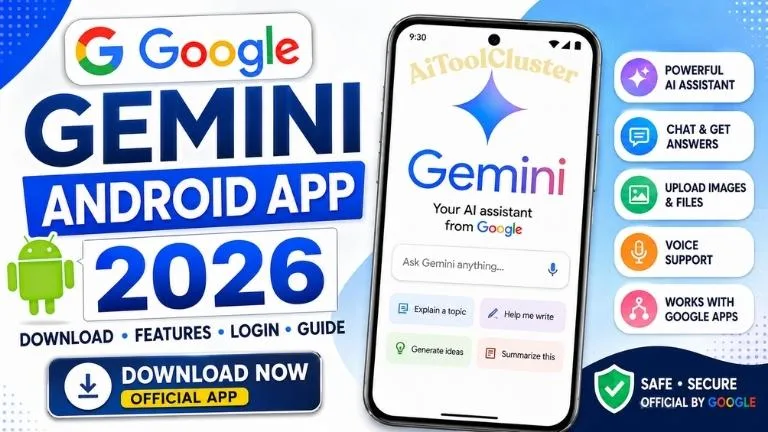
Download Google Gemini Android App 2026: Official App, Features, Login & How to Use
Google Gemini Android App brings Google's AI assistant directly to compatible Android phones and tablets. Users can ask questions, learn new topics, brainstorm ideas, work with text and images, summarize information, plan tasks and access other supported AI-powered features from a mobile device.
If you are searching for the Google Gemini App download, Gemini login, Android requirements, features or instructions for getting started, this guide explains the important details and provides the official Google Play download link.
Google Gemini Android App 2026.
| App Details | Information |
|---|---|
| Application Name | Google Gemini |
| Developer | Google LLC |
| Category | AI Assistant / Productivity |
| Platform | Android |
| Minimum Android Version | Android 9 or later |
| Minimum RAM | 2 GB RAM |
| Availability | India and many other supported countries |
| Languages | English, Hindi, Gujarati and many more supported languages |
| Official Download Source | Google Play Store |
What is the Google Gemini Android App?
Google Gemini is an artificial intelligence assistant developed by Google. The Android application provides mobile access to Gemini and can also work as the primary mobile assistant on supported Android devices.
Instead of being limited to traditional search queries, users can interact with Gemini conversationally. Depending on the feature and account, users can type questions, talk to Gemini, upload images or files, use the camera and ask for help with different everyday tasks.
Gemini can be particularly useful for learning, brainstorming, planning, writing assistance, understanding complicated topics and organizing information. However, AI-generated responses can contain mistakes, so important information should always be verified.
Google Gemini App Download for Android
Android users should download Gemini from the official Google Play Store listing. Using the official listing helps ensure that you are installing the application published by Google LLC rather than an unofficial copy.
App: Google Gemini
Developer: Google LLC
Download Source: Google Play Store
Download Google Gemini Android AppGoogle Gemini Android Requirements
Before installing the Gemini Android app, it is useful to check whether your device meets Google's requirements.
| Requirement | Details |
|---|---|
| Operating System | Android 9 or newer |
| RAM | At least 2 GB |
| Supported Devices | Eligible Android phones and tablets, including many foldable devices |
| Android Go | Gemini mobile app is not supported on Android Go |
| Google Account | Some features can be used without signing in; additional features and saved activity require an eligible Google Account |
Availability can depend on your device, Google Account, country, language and individual Gemini features.
Google Gemini App Features
1. AI-Powered Questions and Answers
Users can ask Gemini questions about many everyday subjects and continue the conversation with follow-up questions. This makes the experience more conversational than entering isolated search queries.
2. Learning and Study Assistance
Gemini can help explain topics, create summaries and explore a subject through follow-up questions. Students can use AI as an additional learning aid, but answers should be checked against textbooks, teachers or reliable sources when accuracy matters.
3. Writing and Brainstorming
Gemini can assist with brainstorming ideas, preparing outlines, developing plans and creating first drafts. This can be useful for organizing ideas before creating your own final work.
4. Gemini Live
Gemini Live provides a more natural conversational experience. On supported devices and accounts, users can talk through ideas with Gemini rather than relying only on typed prompts.
5. Use Text, Voice, Photos and Camera
Depending on availability, Gemini supports different ways of providing information. You can type, talk, add an image or use your camera when asking for help.
6. Work With Files
Google's current Gemini app supports uploading different types of content, such as documents, spreadsheets, photos and videos, so Gemini can provide summaries or insights based on supported uploaded content.
7. Connected Google Apps
Gemini can work with supported connected Google services. Available integrations and capabilities can vary by account, device, country and feature availability.
8. Image Generation
Gemini also provides AI image-generation capabilities for eligible users. Availability and limits may vary depending on the account and Gemini service being used.
How to Install Google Gemini on Android
Installing Gemini on a compatible Android device is straightforward:
- Open the Google Play Store on your Android phone or tablet.
- Search for Google Gemini.
- Confirm that the developer is listed as Google LLC.
- Tap the Install button.
- Wait for the installation to complete.
- Open the Gemini app.
- Follow the on-screen setup instructions.
You can also use the official download button provided earlier in this article to open the correct Google Play listing.
How to Login to Google Gemini
Gemini is connected to Google's account ecosystem. Some functionality may be available without signing in, while signing in enables additional functionality and allows supported Gemini activity to be saved.
To get started:
- Open the Google Gemini app.
- Select or sign in with an eligible Google Account when required.
- Review the information and settings displayed by Google.
- Complete the setup process.
- Enter a question or prompt to begin using Gemini.
Work and school accounts may have different access requirements. In some cases, an organization's administrator must enable access to Gemini Apps.
How to Use Google Gemini on Android
Once Gemini is ready, enter your question or instruction into the prompt box. Depending on supported features, you may also be able to provide voice, images, camera input or files.
Example Uses of Gemini
- Understand a difficult concept in simpler language
- Brainstorm ideas for a project
- Create a study outline
- Summarize information you provide
- Plan a schedule or activity
- Generate ideas for writing
- Ask follow-up questions about a topic
- Work with supported photos and files
Google Gemini for Students
Gemini can be a useful supplementary learning tool when used responsibly. For example, a student can ask for a simpler explanation of a concept, request practice ideas or explore different ways of understanding a topic.
The best approach is to use AI to support learning rather than simply copying its output. Students should understand the answer, verify important facts and complete school assignments according to their school's rules.
Google Gemini for Teachers
Teachers may find generative AI useful for brainstorming lesson ideas, creating starting points for activities, organizing topics or exploring different explanations of a concept.
Any AI-generated educational material should be reviewed before it is used with students because Gemini, like other generative AI systems, can sometimes provide inaccurate information.
Google Gemini Supported Languages
The Gemini mobile application supports many languages. Google's current Android availability information includes languages such as:
- English
- Gujarati
- Hindi
- Bengali
- Marathi
- Tamil
- Telugu
- Kannada
- Malayalam
- Urdu
- Punjabi
- and many other supported languages.
Some voice commands or individual Gemini features may not be available in every supported language.
Gemini App vs Gemini Web Version
| Feature | Gemini Android App | Gemini Web |
|---|---|---|
| AI Chat | Yes | Yes |
| Mobile-focused experience | Yes | Browser based |
| Voice / Mobile Assistant Integration | Supported features available | Different browser experience |
| Access | Android app | Supported web browser |
| Best For | Regular mobile use | Browser and desktop use |
Is Google Gemini Free?
Google provides access to Gemini with features that can be used without purchasing a paid plan. Google also offers paid AI plans and additional capabilities for eligible users.
Features, limits, model availability and pricing can change, so users interested in paid functionality should check Google's current official information before subscribing.
Is Google Gemini Safe to Use?
Gemini is an official Google application, but users should still use AI services carefully. Do not enter passwords, one-time passwords, banking credentials or other information that should remain private.
Google also warns that Gemini can make mistakes. Users should double-check important responses and should not rely on Gemini as a substitute for qualified professional advice.
Google Gemini App Not Installing – What to Check
If Gemini does not install on your Android phone, check:
- Your Android version
- Available RAM and device compatibility
- Available storage space
- Google Play Store updates
- Your country or language availability
- The Google Account being used
- Your internet connection
Android Go devices do not support the Gemini mobile app. Some features may also be unavailable for certain supervised, school or work accounts.
Gemini and Google Assistant on Android
On eligible Android devices, Gemini can operate as the primary mobile assistant. When a user switches to Gemini, it can replace Google Assistant as the primary assistant on the phone.
However, some Google Assistant functionality may differ or may not yet be available through Gemini in every language, account or region.
Useful Android Apps & Education Resources
Frequently Asked Questions
How can I download the Google Gemini Android App?
Open the Google Play Store, search for Google Gemini and verify that the developer is Google LLC before installing it. You can also use the official Google Play link provided in this guide.
What Android version is required for Gemini?
According to Google's current requirements, the Gemini mobile app supports eligible Android phones and tablets running Android 9 or newer with at least 2 GB of RAM.
Does Google Gemini support Gujarati?
Yes. Gujarati is currently included in Google's list of supported Gemini mobile app languages. Individual features can still vary by language.
Can I use Gemini in Hindi?
Yes. Hindi is among the supported languages listed for the Gemini mobile application.
Can students use Google Gemini?
Eligible students can use Gemini for tasks such as understanding concepts, brainstorming and learning. Account and age requirements apply, and school accounts may depend on administrator settings.
Can Gemini replace Google Assistant?
On eligible Android devices, Gemini can become the primary mobile assistant. Some Google Assistant features may work differently or may not be available through Gemini in every language or region.
Is Google Gemini always accurate?
No. Generative AI can provide inaccurate information. Important facts should be checked against reliable sources before being used.
The Google Gemini Android App provides convenient mobile access to Google's AI assistant for learning, brainstorming, planning, writing, working with information and other supported tasks.
Android users should install Gemini through the official Google Play Store and check device and account compatibility before getting started. Because Gemini continues to evolve, features and availability may change over time.
For more useful AI tools, Android apps, education resources and digital guides, keep visiting Aitoolcluster.com.


COMMENTS (0)
Be the first to comment!
Leave a Comment