
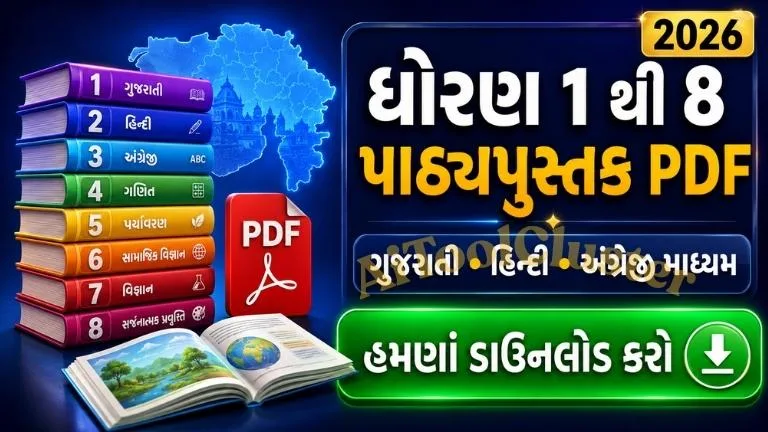
Gujarat Std 1 to 8 Textbook PDF Download 2026: ગુજરાતમાં ધોરણ 1થી 8માં અભ્યાસ કરતા વિદ્યાર્થીઓ, વાલીઓ અને શિક્ષકો માટે Gujarati Medium, Hindi Medium અને English Medium textbooksના Standard-wise links અહીં એક જ જગ્યાએ આપવામાં આવ્યા છે. યોગ્ય ધોરણ અને માધ્યમ પસંદ કરીને જરૂરી પાઠ્યપુસ્તક online વાંચી અથવા PDF formatમાં download કરી શકાય છે.
School textbook માત્ર પરીક્ષાની તૈયારી માટેનું પુસ્તક નથી. તે વિદ્યાર્થીના સંપૂર્ણ academic learningનું આધારભૂત resource છે. શાળામાં ભણાવવામાં આવતા chapters, classroom activities, examples, exercises અને learning outcomesને યોગ્ય રીતે સમજવા માટે prescribed textbookનો નિયમિત ઉપયોગ જરૂરી છે.
ઘણી વખત નવું શૈક્ષણિક સત્ર શરૂ થાય ત્યારે physical textbooks મળવામાં થોડો સમય લાગે છે. કોઈ પુસ્તક ખોવાઈ જાય, ઘરે રહી જાય અથવા revision માટે તેની digital copyની જરૂર પડે ત્યારે online textbook PDF વિદ્યાર્થીઓ માટે ખૂબ ઉપયોગી બની શકે છે.
આ page પર Std 1થી Std 8 માટે Gujarati, Hindi અને English Mediumના અલગ links આપવામાં આવ્યા છે. તેથી અલગ-અલગ websites પર textbook શોધવાની જરૂર રહેતી નથી. Student અથવા parent પોતાના Standardની rowમાંથી યોગ્ય Medium પસંદ કરીને textbook folder open કરી શકે છે.
Gujarat Std 1 to 8 Textbook PDF Download 2026
નીચે આપેલી mobile-responsive tableમાં ધોરણ 1થી 8 સુધીના textbook links Medium-wise ગોઠવવામાં આવ્યા છે. Gujarati Medium, Hindi Medium અથવા English Medium માટે અલગ download button આપવામાં આવ્યું છે.
Button પર click કર્યા પછી textbook folder ખુલશે. Folderની અંદર ઉપલબ્ધ subject અથવા book title પસંદ કરીને PDF preview જોઈ શકાય છે. યોગ્ય file મળ્યા પછી Google Driveના download option દ્વારા તેને mobile, tablet, laptop અથવા computerમાં સાચવી શકાય છે.
Std 1 to 8 Textbook Download Links
| Standard | Gujarati Medium | Hindi Medium | English Medium |
|---|---|---|---|
| Std 1 | Gujarati Books | Hindi Books | English Books |
| Std 2 | Gujarati Books | Hindi Books | English Books |
| Std 3 | Gujarati Books | Hindi Books | English Books |
| Std 4 | Gujarati Books | Hindi Books | English Books |
| Std 5 | Gujarati Books | Hindi Books | English Books |
| Std 6 | Gujarati Books | Hindi Books | English Books |
| Std 7 | Gujarati Books | Hindi Books | English Books |
| Std 8 | Gujarati Books | Hindi Books | English Books |
Mobileમાં સંપૂર્ણ table જોવા માટે ડાબી અને જમણી તરફ scroll કરો.
Official Gujarat State School Textbook Board Website
Gujarat State School Textbook Board રાજ્યના school education માટે વિવિધ ધોરણ અને માધ્યમનાં પાઠ્યપુસ્તકો પ્રકાશિત કરે છે. તેની official website પર Std 1 to 8 માટે Gujarati, English અને Hindi/Other Mediumના textbook sections ઉપલબ્ધ છે.
જો Google Drive folder open ન થાય, કોઈ link બદલાઈ ગઈ હોય અથવા latest textbook edition અંગે શંકા હોય, તો નીચેની official textbook page તપાસવી.
Visit Official Std 1 to 8 Textbook Page
Education updates, study materials અને ઉપયોગી online guides માટે AI Tool Cluster homepageની મુલાકાત પણ લઈ શકો છો.
Medium પ્રમાણે યોગ્ય Textbook કેવી રીતે પસંદ કરવી?
ઘણા students textbook download કરતી વખતે માત્ર Standard તપાસે છે અને Medium પર ધ્યાન આપતા નથી. Gujarati, Hindi અને English Mediumમાં bookના subject, teaching language અને presentationમાં તફાવત હોઈ શકે છે. તેથી PDF save કરતાં પહેલાં Mediumની ખાતરી કરવી ખૂબ જરૂરી છે.
Gujarati Medium Textbooks
Gujarati Mediumમાં અભ્યાસ કરતા વિદ્યાર્થીઓ માટે મુખ્ય explanation અને learning content ગુજરાતી ભાષામાં આપવામાં આવે છે. પ્રાથમિક શિક્ષણથી upper-primary level સુધીના વિદ્યાર્થીઓ માટે આ textbooks classroom teaching, homework અને revisionમાં ઉપયોગી બને છે.
Gujarati Medium book download કરતી વખતે book title, ધોરણ, semester અને subject તપાસો. Gujarati લખાણ mobileમાં સ્પષ્ટ ન દેખાય તો updated PDF reader અથવા browserનો ઉપયોગ કરો.
Hindi Medium Textbooks
Hindi Medium schoolના વિદ્યાર્થીઓએ tableમાં આપેલું Hindi Books button પસંદ કરવું. Official textbook sectionમાં આ categoryને કેટલીક જગ્યાએ Hindi/Other Medium તરીકે દર્શાવવામાં આવી શકે છે. Folder open થયા પછી જરૂરી Hindi Medium book ધ્યાનપૂર્વક પસંદ કરવી.
English Medium Textbooks
English Medium વિદ્યાર્થીઓ માટે Mathematics, Environmental Studies, Science, Social Science અને language-related books Standard પ્રમાણે ઉપલબ્ધ હોઈ શકે છે. English Medium textbookનો ઉપયોગ concept reading, vocabulary improvement, classroom preparation અને home revision માટે થઈ શકે છે.
Std 1 to 8 Textbooks કોના માટે ઉપયોગી છે?
વિદ્યાર્થીઓ માટે
વિદ્યાર્થી textbook PDFથી ઘરે lesson વાંચી શકે છે, pending classwork પૂર્ણ કરી શકે છે અને examination પહેલાં important chaptersનું revision કરી શકે છે. Physical book શાળામાં રહી ગઈ હોય ત્યારે digital copy ખાસ મદદરૂપ બને છે.
વાલીઓ માટે
નાના ધોરણના વિદ્યાર્થીઓને home learningમાં મદદ કરવા માટે parents textbookના chapters અગાઉથી જોઈ શકે છે. Homework કરતી વખતે સાચો chapter, activity અથવા exercise શોધવા માટે PDF ઉપયોગી રહે છે.
શિક્ષકો માટે
Teachers lesson planning, daily classroom preparation, worksheet development અને learning outcome આધારિત activity તૈયાર કરતી વખતે textbook PDFનો reference તરીકે ઉપયોગ કરી શકે છે. Projector અથવા smart classroomમાં પણ digital textbook ઉપયોગી બને છે.
સ્પર્ધાત્મક પરીક્ષાની તૈયારી માટે
પ્રાથમિક અને upper-primary levelના Mathematics, Science, Environment અને Social Scienceના મૂળભૂત concepts કેટલીક competitive examinations માટે foundation તૈયાર કરવામાં મદદરૂપ થાય છે. જોકે કોઈ competitive exam માટે માત્ર school textbook પર આધાર રાખવાને બદલે official syllabus અને prescribed study material પણ તપાસવું જોઈએ.
Standard-wise Learning Overview
Std 1 અને Std 2 Textbooks
Std 1 અને 2ના textbooks foundational literacy, basic numeracy, language recognition, pictures, stories અને activity-based learning પર ધ્યાન કેન્દ્રિત કરે છે. આ ઉંમરે માત્ર answers યાદ કરાવવાને બદલે bookમાં આપેલી pictures, oral activities અને examples સમજાવવું વધુ ઉપયોગી બને છે.
Std 3થી Std 5 Textbooks
Std 3થી 5 દરમિયાન reading comprehension, multiplication, division, environmental awareness અને independent writing જેવી skillsનો વિકાસ થાય છે. Textbook exercises વિદ્યાર્થીએ જાતે કરવાનો પ્રયાસ કરવો જોઈએ અને મુશ્કેલી આવે ત્યારે teacher અથવા parentની મદદ લેવી.
Std 6થી Std 8 Textbooks
Std 6થી 8માં Mathematics, Science, Social Science અને languagesનું content વધુ detailed બને છે. આ stageમાં chapter reading સાથે notes, examples, diagrams અને exercise questionsનો નિયમિત અભ્યાસ જરૂરી છે. PDF textbook revision અને missed lessons cover કરવા માટે સારો supplementary resource બની શકે છે.
Gujarat Textbook PDF Download કરવાની રીત
Std 1થી 8 textbook PDF મેળવવાની process સરળ છે. તેમ છતાં ખોટું Standard, Medium અથવા જૂની edition download ન થાય તે માટે દરેક step ધ્યાનપૂર્વક અનુસરવો જરૂરી છે.
Step 1: Standard પસંદ કરો
સૌથી પહેલાં વિદ્યાર્થી કયા ધોરણમાં અભ્યાસ કરે છે તે નક્કી કરો. Download tableમાં Std 1થી Std 8 સુધીની અલગ rows આપવામાં આવી છે. ખોટા Standardની rowમાંથી file open ન થાય તેની કાળજી રાખો.
Step 2: યોગ્ય Medium પસંદ કરો
Standardની સામે Gujarati Books, Hindi Books અને English Booksના અલગ buttons આપવામાં આવ્યા છે. વિદ્યાર્થી જે Mediumમાં અભ્યાસ કરતો હોય તે જ option પસંદ કરો.
Step 3: Google Drive Folder ખોલો
Download button પર click કર્યા પછી Google Drive folder open થશે. તેમાં તે Standard અને Medium માટે ઉપલબ્ધ textbooks અથવા related files જોવા મળી શકે છે. Folder load થવામાં થોડો સમય લાગે તો internet connection તપાસીને page refresh કરો.
Step 4: Subject અને Book Title તપાસો
PDF open કરતાં પહેલાં file name ધ્યાનથી વાંચો. કેટલાક Standardsમાં language, Mathematics, Environment, Science, Social Science અથવા અન્ય subjectની અલગ files હોઈ શકે છે. Semester અથવા part દર્શાવ્યું હોય તો યોગ્ય file પસંદ કરવી.
Step 5: PDF Preview તપાસો
Google Drive previewમાં bookનું cover page open કરો. Cover પર Standard, Medium, Subject અને publication details તપાસો. આ verification ખોટું textbook download થતું અટકાવવામાં મદદ કરે છે.
Step 6: Textbook PDF Download કરો
યોગ્ય book confirm થયા પછી Google Driveના download optionનો ઉપયોગ કરો. File mobile અથવા computerના Downloads folderમાં save થઈ શકે છે. Download પૂર્ણ થયા પછી PDF open કરીને બધા pages યોગ્ય રીતે દેખાય છે કે નહીં તે તપાસો.
Mobileમાં Textbook PDF કેવી રીતે Download કરવી?
મોટાભાગના વિદ્યાર્થીઓ અને વાલીઓ textbook mobile phoneમાં download કરે છે. Android અને iPhone બંનેમાં updated browser અથવા Google Drive application દ્વારા file access કરી શકાય છે.
- Articleમાં આપેલી Standard-wise table open કરો.
- જરૂરી Standardની સામે યોગ્ય Mediumનું button પસંદ કરો.
- Google Drive folderમાંથી subjectની PDF file open કરો.
- Fileનું cover page અને title તપાસો.
- Drive menuમાંથી Download અથવા Open in option પસંદ કરો.
- Download થયા પછી Files અથવા Downloads folder તપાસો.
Android Mobile માટે
Android deviceમાં downloaded textbook સામાન્ય રીતે Files, My Files અથવા Downloads folderમાં મળે છે. File open ન થાય તો trusted PDF reader applicationનો ઉપયોગ કરી શકાય છે. Deviceમાં storage ઓછું હોય તો અનાવશ્યક files દૂર કર્યા પછી ફરી download કરો.
iPhone માટે
iPhoneમાં Safari અથવા Chrome દ્વારા PDF open કર્યા પછી Share optionથી “Save to Files” પસંદ કરી શકાય છે. File iCloud Drive અથવા On My iPhone folderમાં સાચવી શકાય છે. Offline study માટે file કયા folderમાં save કરી છે તે યાદ રાખવું.
Laptop અથવા Computerમાં PDF Download કરવાની રીત
Laptop અને desktop પર textbookના diagrams, tables અને exercises મોટા screenમાં સ્પષ્ટ જોઈ શકાય છે. Classroom preparation અને worksheet બનાવતા શિક્ષકો માટે computerમાં textbook રાખવું વધુ અનુકૂળ બની શકે છે.
- Chrome, Edge, Firefox અથવા અન્ય updated browser ખોલો.
- યોગ્ય textbook folder link પસંદ કરો.
- Required PDFને previewમાં open કરો.
- Top menuમાં દર્શાવેલું download option પસંદ કરો.
- File માટે Standard અને Subject પ્રમાણે સ્પષ્ટ નામ રાખો.
- Download પૂર્ણ થયા પછી trusted PDF readerમાં open કરો.
Downloaded Textbooksને વ્યવસ્થિત કેવી રીતે રાખવાં?
Std 1થી 8 સુધીની ઘણી books એક જ deviceમાં download કરવામાં આવે ત્યારે file શોધવી મુશ્કેલ બની શકે છે. Standard, Medium અને Subject પ્રમાણે folders બનાવવાથી જરૂરી textbook ઝડપથી મળી શકે છે.
Recommended Folder Structure
- Gujarat Textbooks
- Std 1 Gujarati Medium
- Std 2 English Medium
- Std 5 Hindi Medium
- Std 6 Science
- Std 7 Mathematics
- Std 8 Social Science
Fileનું default name સ્પષ્ટ ન હોય તો તેને સમજાય એવું નામ આપી શકાય છે. ઉદાહરણ તરીકે, Std-6-Science-Gujarati-Medium.pdf જેવી naming pattern ઉપયોગી રહે છે. Fileની અંદર કોઈ ફેરફાર કર્યા વગર ફક્ત device પર તેનું name બદલવું પૂરતું છે.
Textbook PDF Offline કેવી રીતે વાંચવી?
PDF એક વખત સંપૂર્ણ download થઈ જાય પછી સામાન્ય રીતે તેને offline વાંચી શકાય છે. તેથી દર વખતે internetની જરૂર રહેતી નથી. પરંતુ Google Driveમાં ફક્ત preview open કરીને file save ન કરી હોય તો offline access ન મળે.
Offline Study માટે ધ્યાનમાં રાખવાની બાબતો
- PDF સંપૂર્ણ download થઈ છે તેની ખાતરી કરો.
- Airplane modeમાં એક વખત file open કરીને offline access તપાસો.
- મહત્વપૂર્ણ booksની backup copy રાખો.
- Shared deviceમાં personal folderનો ઉપયોગ કરો.
- Device storage સમયાંતરે તપાસો.
Textbook PDFનો અસરકારક Studyમાં ઉપયોગ
Digital textbookનો શ્રેષ્ઠ ઉપયોગ ત્યારે થાય છે જ્યારે તેને proper study routine સાથે જોડવામાં આવે. માત્ર PDF collect કરવાથી academic improvement થતું નથી. નિયમિત reading, written practice અને teacher guidance જરૂરી છે.
Teachers માટે Digital Textbookના ઉપયોગ
Teachers lesson planning પહેલાં chapterના learning objectives, activities, illustrations અને exercise questions review કરી શકે છે. Digital bookથી classroom માટે જરૂરી page ઝડપથી શોધી શકાય છે.
Lesson Planning
Chapterના conceptsને period-wise divide કરવા, required teaching material નક્કી કરવા અને students માટે suitable classroom activity તૈયાર કરવામાં textbook PDF મદદરૂપ બને છે.
Worksheet Preparation
Textbookના learning objectivesના આધારે original practice questions તૈયાર કરી શકાય છે. સંપૂર્ણ textbook page copy કરવાની જગ્યાએ teacher પોતાના શબ્દોમાં age-appropriate worksheet બનાવે તો learning વધુ effective બની શકે છે.
Revision અને Remedial Teaching
જે વિદ્યાર્થીઓ કોઈ concept સમજવામાં પાછળ હોય તેમના માટે textbookના basic examples ફરી સમજાવી શકાય છે. Strong learners માટે same concept પર additional application-based questions આપી શકાય છે.
Parents માટે Home Learning Guidance
Parentsએ બાળકને ફક્ત answer યાદ કરાવવાને બદલે lesson સમજવામાં મદદ કરવી. Primary Standardsમાં story reading, picture discussion, counting objects અને simple daily-life examples વધુ અસરકારક બને છે.
- બાળકને પોતાની ભાષામાં concept સમજાવવા કહો.
- એક સાથે લાંબા સમય સુધી study કરાવશો નહીં.
- Daily short reading habit વિકસાવો.
- ભૂલ માટે ડરાવવાને બદલે ફરી પ્રયાસ કરવા પ્રોત્સાહન આપો.
- Homeworkની final checking પહેલાં બાળકને જાતે review કરવા દો.
- Screen reading સાથે notebook writing પણ કરાવો.
Textbook Link Open ન થાય તો શું કરવું?
Google Drive folder અથવા textbook PDF open ન થવાના ઘણા સામાન્ય કારણો હોઈ શકે છે. Link ખરાબ છે એવું માનતા પહેલાં નીચેના solutions અજમાવો.
Internet Connection તપાસો
Wi-Fi અથવા mobile data stable છે કે નહીં તે તપાસો. મોટી PDF file preview થવામાં સામાન્ય webpage કરતાં વધારે સમય લાગી શકે છે.
Browser Update કરો
જૂના browserમાં Google Drive preview યોગ્ય રીતે load ન થઈ શકે. Browser update કરો અથવા Chrome, Edge, Firefox અને Safariમાંથી અન્ય browser અજમાવો.
Google Drive Application અજમાવો
Mobile browserમાં folder open ન થાય તો updated Google Drive applicationમાં link ખોલવાનો પ્રયાસ કરો. Application install કરતી વખતે ફક્ત official Play Store અથવા App Storeનો ઉપયોગ કરો.
Desktop Mode બંધ કરો
Mobile browserમાં desktop mode ચાલુ હોય તો buttons નાના દેખાઈ શકે છે અથવા layout યોગ્ય રીતે open ન થાય. Browser settingsમાંથી desktop site option બંધ કરીને page reload કરો.
Official Textbook Page તપાસો
Folder remove થયો હોય, access બદલાઈ હોય અથવા link update થઈ હોય તો Gujarat State School Textbook Boardની official Std 1 to 8 page તપાસો.
Latest Textbook Edition કેવી રીતે તપાસવી?
Curriculum અથવા textbook edition સમયાંતરે બદલાઈ શકે છે. તેથી જૂના academic yearમાં download કરેલી PDFને દર વર્ષે automatically current માનવી યોગ્ય નથી.
- Bookના cover page અને publication information તપાસો.
- School અથવા subject teacher દ્વારા જણાવેલી book સાથે સરખામણી કરો.
- Official textbook website પર ઉપલબ્ધ current file તપાસો.
- Revised edition અથવા new textbook અંગે school circular વાંચો.
- જૂની અને નવી edition mix કરીને study ન કરો.
Digital Textbook Download કરતી વખતે Online Safety
Textbook download માટે student અથવા parentની sensitive personal information સામાન્ય રીતે અનાવશ્યક હોય છે. કોઈ અજાણી website textbookના નામે OTP, bank detail, card number અથવા unnecessary application installation માંગે તો તે serviceનો ઉપયોગ ન કરવો.
- Official અથવા trusted sourceમાંથી જ PDF open કરો.
- Unknown APK file download ન કરો.
- Textbook PDFના નામે executable file open ન કરો.
- Mobileમાં trusted security settings ચાલુ રાખો.
- Suspicious pop-up advertisement પર click ન કરો.
- Google Drive access માટે અજાણ્યા accountને permission ન આપો.
Physical Book અને Digital PDF વચ્ચેનો તફાવત
| Feature | Physical Textbook | Digital Textbook PDF |
|---|---|---|
| Reading | Screen વગર સરળ reading | Mobile, tablet અથવા computerમાં reading |
| Portability | દરેક book અલગ લઈ જવી પડે | ઘણી books એક deviceમાં રાખી શકાય |
| Writing | Applicable હોય ત્યાં note અથવા marking સરળ | PDF readerના tools પર આધારિત |
| Offline Use | હંમેશાં offline ઉપલબ્ધ | પહેલાં PDF download કરવી જરૂરી |
| Best Use | Regular classroom અને home study | Revision, backup અને quick access |
Mobileમાં સંપૂર્ણ comparison જોવા માટે tableને ડાબી-જમણી તરફ scroll કરો.
Gujarat Std 1 to 8 Textbook PDF Download 2026 page દ્વારા વિદ્યાર્થીઓ, parents અને teachers Gujarati Medium, Hindi Medium તથા English Medium booksને Standard-wise access કરી શકે છે. યોગ્ય Standard અને Medium પસંદ કર્યા પછી subject તથા edition verify કરીને PDF download કરવી.
Digital textbook school learningને સરળ બનાવે છે, પરંતુ તેનો અસરકારક લાભ લેવા માટે regular reading, notebook practice, exercise solving અને teacher guidance જરૂરી છે. Textbook curriculumમાં ફેરફાર થઈ શકે હોવાથી schoolની current book list અને official websiteને અંતિમ reference તરીકે ઉપયોગ કરવો.
Gujarat education, school materials અને ઉપયોગી online guides માટે AI Tool Cluster ની મુલાકાત લઈ શકો છો.

COMMENTS (0)
Be the first to comment!
Leave a Comment