
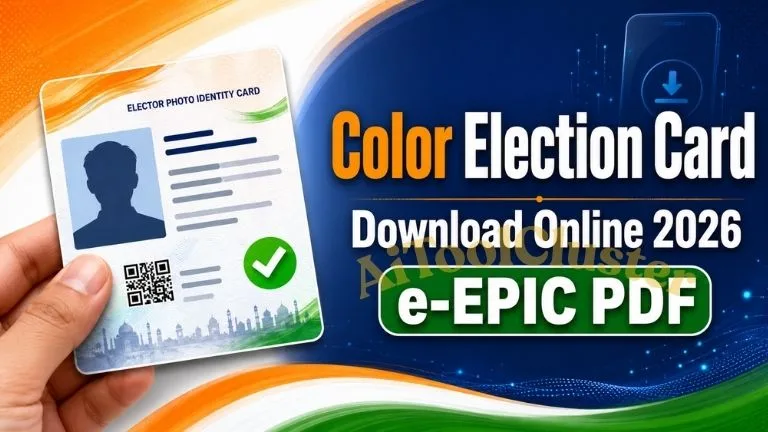
Color Election Card Download Online 2026: જો તમારું નામ Electoral Roll એટલે કે મતદાર યાદીમાં નોંધાયેલું હોય, તો તમે Election Commission of Indiaના official Voters’ Service Portal પરથી તમારું digital voter card, જેને e-EPIC કહેવામાં આવે છે, download કરવાનો પ્રયાસ કરી શકો છો. આ લેખમાં official link, જરૂરી વિગતો અને step-by-step process સરળ Gujarati ભાષામાં સમજાવવામાં આવી છે.
Election card ભારતના મતદારો માટે મહત્વપૂર્ણ ઓળખ દસ્તાવેજ છે. હવે voter-related ઘણી સેવાઓ online ઉપલબ્ધ હોવાથી registered voters પોતાના mobile અથવા computerથી e-EPIC service access કરી શકે છે. Internet પર અનેક unofficial websites દેખાય છે, પરંતુ personal information સુરક્ષિત રાખવા માટે માત્ર Election Commissionના official portalનો ઉપયોગ કરવો જરૂરી છે.
Color Election Card Download Online 2026 શું છે?
Color Election Card Download Online શબ્દનો સામાન્ય અર્થ Voter IDની digital copy download કરવાનો છે. Election Commission of India આ digital voter identity documentને Electronic Electoral Photo Identity Card અથવા e-EPIC તરીકે ઓળખાવે છે.
e-EPIC PDF formatમાં ઉપલબ્ધ થઈ શકે છે અને તેમાં voterની electoral details તથા secure QR code જેવી માહિતી હોય છે. યોગ્ય service ઉપલબ્ધ હોય ત્યારે registered voter તેને official account દ્વારા access કરી શકે છે. Download કરેલી PDFને mobileમાં સાચવી શકાય અથવા જરૂર મુજબ print કરાવી શકાય.
નોંધવું જરૂરી છે કે online download થતું document e-EPIC છે. Physical PVC voter card મેળવવા, ખોવાયેલું card replace કરાવવા અથવા cardની માહિતી સુધારવા માટે અલગ application process લાગુ પડી શકે છે.
- Digital card name e-EPIC
- Official authority Election Commission of India
- Download format PDF digital document
- Official portal voters.eci.gov.in
Official Color Voter ID Card Download Links
નીચે આપવામાં આવેલી links Election Commission of Indiaની official websites તરફ લઈ જાય છે. Login, registration અથવા OTP જેવી sensitive information માત્ર eci.gov.in અથવા voters.eci.gov.in domain પર જ દાખલ કરવી.
| Online Service | Official Website | Action |
|---|---|---|
| e-EPIC Download | Voters’ Service Portal | Download e-EPIC |
| Voter Registration and Login | Voters’ Service Portal | Open Official Portal |
| Search Name in Electoral Roll | Voters’ Service Portal | Check Voter Details |
| Election Information | Election Commission of India | Visit ECI Website |
| More Useful Guides | AI Tool Cluster | Visit Homepage |
e-EPIC Download માટે શું જરૂરી છે?
Online color election card download process શરૂ કરતાં પહેલાં નીચેની વિગતો તૈયાર રાખવાથી process સરળ બની શકે છે:
- Voter registration અથવા portal account માટે ઉપયોગમાં લેવાયેલ mobile number
- EPIC Number, જો તે તમારી પાસે ઉપલબ્ધ હોય
- Electoral Rollમાં નોંધાયેલી વ્યક્તિગત વિગતો
- OTP receive કરી શકે એવો active mobile phone
- PDF download કરવા માટે mobile, laptop અથવા computer
- Stable internet connection અને updated web browser
જો તમને EPIC Number ખબર ન હોય, તો official Electoral Search serviceમાં નામ, રાજ્ય, જિલ્લો, ઉંમર અને અન્ય ઉપલબ્ધ વિગતોના આધારે voter record શોધવાનો પ્રયાસ કરી શકાય છે. Recordમાં spelling અથવા constituency detail અલગ હોય તો search result મળવામાં મુશ્કેલી આવી શકે છે.
EPIC Number શું છે?
EPICનું પૂરું નામ Electoral Photo Identity Card છે. EPIC Number દરેક registered elector સાથે જોડાયેલો ઓળખ નંબર છે અને તે સામાન્ય રીતે physical Voter ID card પર જોવા મળે છે. Online voter servicesનો ઉપયોગ કરતી વખતે આ નંબર જરૂરી થઈ શકે છે.
Mobile Number Link ન હોય તો શું કરવું?
OTP verification માટે voter record અથવા account સાથે યોગ્ય mobile access જરૂરી બની શકે છે. Mobile number linked ન હોય, જૂનો નંબર બંધ થઈ ગયો હોય અથવા verification પૂર્ણ ન થતું હોય તો official portal પર ઉપલબ્ધ correction/update service તપાસો. જરૂર પડે ત્યારે Form 8 સંબંધિત option દ્વારા correction, shifting અથવા replacement service ઉપલબ્ધ હોઈ શકે છે.
કોઈપણ correction application submit કરતા પહેલાં portal પર દર્શાવેલી instructions વાંચવી. દરેક voterની સ્થિતિ અલગ હોવાથી portal વધારાની verification અથવા supporting document માંગી શકે છે.
Color Election Card Download Online Step-by-Step
નીચેની સામાન્ય process દ્વારા official portal પરથી e-EPIC access કરવાનો પ્રયાસ કરી શકાય છે. Website updateને કારણે button અથવા menuનું નામ થોડું બદલાયેલું હોઈ શકે છે.
Mobile Phoneમાંથી Voter Card કેવી રીતે Download કરવું?
Android અથવા iPhoneમાં Chrome, Safari જેવા updated browser દ્વારા Voters’ Service Portal open કરી શકાય છે. Login અને verification પૂર્ણ થયા પછી downloaded PDF સામાન્ય રીતે browserના Downloads section અથવા phoneની Files applicationમાં જોવા મળી શકે છે.
- Official portal mobile browserમાં ખોલો.
- તમારા accountમાં securely login કરો.
- e-EPIC Download service પસંદ કરો.
- Required electoral detail અને OTP verification પૂર્ણ કરો.
- PDF download કરીને Files અથવા Downloads folderમાં તપાસો.
e-EPIC અને Physical Voter Card વચ્ચેનો તફાવત
| વિગત | e-EPIC | Physical Voter Card |
|---|---|---|
| Format | Digital PDF document | Printed physical card |
| Access | Eligible record માટે online portal દ્વારા | Election authorityની applicable process દ્વારા |
| Storage | Mobile અથવા computerમાં સાચવી શકાય | Physical document તરીકે રાખવું પડે |
| Main purpose | Portable digital electoral identity document | Physical electoral photo identity card |
Download કરેલી e-EPIC PDFને edit, modify અથવા તેમાંની માહિતી બદલવાનો પ્રયત્ન કરવો નહીં. નામ, ફોટો, સરનામું અથવા બીજી electoral detail ખોટી હોય તો official correction processનો ઉપયોગ કરવો.
Color Election Card Download ન થાય તો શું કરવું?
Official portal પરથી e-EPIC download કરતી વખતે OTP ન આવવો, record not found દેખાવું, PDF open ન થવી અથવા mobile number verification જેવી મુશ્કેલીઓ આવી શકે છે. આવી સ્થિતિમાં વારંવાર ખોટી information દાખલ કરવાને બદલે નીચે આપેલા practical solutions અજમાવો.
1. Voter Record Not Found Error
EPIC Number દાખલ કર્યા પછી voter record ન મળે તો numberમાં letter અને digit સાચા છે કે નહીં તે તપાસો. “O” અને “0” અથવા “I” અને “1” જેવી characters વાંચવામાં ભૂલ થઈ શકે છે.
- EPIC Number ફરીથી ધ્યાનપૂર્વક દાખલ કરો.
- યોગ્ય State પસંદ કર્યું છે તેની ખાતરી કરો.
- Official Electoral Search serviceમાં નામથી record શોધો.
- નામની English અને local-language spelling તપાસો.
- જૂના cardની વિગતો બદલાઈ હોય તો current electoral record તપાસો.
2. OTP Mobile પર ન આવે તો
Server load, mobile network અથવા linked mobile detailને કારણે OTP મોડો આવી શકે છે. OTP button વારંવાર દબાવવાથી એકથી વધુ OTP આવી શકે છે અને જૂનો OTP invalid બની શકે છે.
- Mobileમાં network signal યોગ્ય છે કે નહીં તે તપાસો.
- થોડી મિનિટ રાહ જોઈને “Resend OTP” optionનો ઉપયોગ કરો.
- સૌથી છેલ્લે આવેલો OTP જ દાખલ કરો.
- SMS inbox ભરેલું હોય તો અનાવશ્યક messages દૂર કરો.
- Mobile number access ન હોય તો official correction/update options તપાસો.
3. e-EPIC Download Button ન દેખાય
Portalમાં login કર્યા વગર serviceનો સંપૂર્ણ option ન દેખાઈ શકે. Accountમાં login કર્યા પછી e-EPIC section ફરી ખોલો. Browser cache, outdated application અથવા temporary server issueને કારણે પણ button load ન થઈ શકે.
- Page refresh કરીને ફરી login કરો.
- Updated Chrome, Edge, Firefox અથવા Safari browser અજમાવો.
- Browserનું desktop mode બંધ રાખીને mobile viewમાં તપાસો.
- Ad blocker અથવા script blocker temporary disable કરીને official portal ફરી ખોલો.
- Portal પર traffic ઓછો હોય તેવા સમયે ફરી પ્રયાસ કરો.
4. PDF Download થયા પછી Open ન થાય
File અધૂરી download થઈ હોય અથવા deviceમાં યોગ્ય PDF reader ન હોય તો e-EPIC open ન થઈ શકે. Downloaded fileનું extension .pdf છે કે નહીં તે તપાસો અને જરૂર પડે તો official portal પરથી ફરી download કરો.
EPIC Number વગર Election Card કેવી રીતે શોધવું?
EPIC Number યાદ ન હોય અથવા physical voter card ઉપલબ્ધ ન હોય તો Election Commissionની Electoral Search serviceનો ઉપયોગ કરી શકાય છે. Search page પર ઉપલબ્ધ options મુજબ personal details અથવા અન્ય accepted information દાખલ કરીને voter record શોધવાનો પ્રયાસ કરો.
Search માટે ઉપયોગી વિગતો
- મતદારનું પૂરું નામ
- પિતા, માતા અથવા પતિનું નામ, જ્યાં લાગુ પડે
- જન્મતારીખ અથવા ઉંમર
- Gender
- State, District અને Assembly Constituency
- Electoral recordમાં નોંધાયેલ location details
Search result ન મળે તો નામની spellingમાં થોડો ફેરફાર કરીને તપાસો. Married name, surname અથવા address updateને કારણે current voter recordમાં જૂની અને નવી information વચ્ચે તફાવત હોઈ શકે છે.
| Service | તેનો ઉપયોગ | Official Access |
|---|---|---|
| Search in Electoral Roll | નામ અને voter record શોધવા | Search Voter Record |
| e-EPIC Download | Digital Election Card PDF મેળવવા | Download e-EPIC |
| Voter Services | Registration, correction અને અન્ય services | Open Voter Portal |
Voter IDમાં Name, Address અથવા Photo Correction
Election cardમાં નામની spelling, જન્મતારીખ, સરનામું, photograph અથવા અન્ય electoral detail ખોટી હોય તો downloaded PDFને જાતે edit કરવી યોગ્ય નથી. Correction માટે Voters’ Service Portal પર ઉપલબ્ધ official application serviceનો ઉપયોગ કરવો.
Election Commissionના portal પર Form 8 correction of entries, residence shifting, replacement of EPIC અને applicable PwD marking જેવી services માટે ઉપલબ્ધ હોઈ શકે છે. તમારે કયો option પસંદ કરવો તે તમારી જરૂરિયાત અને portal પર દર્શાવેલી current instructions પર આધારિત રહેશે.
Correction Application પહેલાં ધ્યાનમાં રાખવાની બાબતો
- Voter recordમાં હાલ કઈ detail નોંધાયેલી છે તે પહેલાં તપાસો.
- માગવામાં આવે તે જ supporting document upload કરો.
- Document સ્પષ્ટ અને readable હોવો જોઈએ.
- Submit કરતાં પહેલાં spelling અને application details ફરી તપાસો.
- Application reference number સુરક્ષિત રીતે સાચવી રાખો.
- Status તપાસવા માટે માત્ર official voter portalનો ઉપયોગ કરો.
New Voter ID માટે Online Registration
જે વ્યક્તિનું નામ voter listમાં નોંધાયેલું નથી, તે માત્ર election card download કરી શકતી નથી. પહેલા eligible voter તરીકે registration કરાવવું જરૂરી છે. Election Commissionની official information મુજબ qualifying dateના આધારે 18 વર્ષ પૂર્ણ કરનાર અથવા eligible થનાર Indian citizen online voter registration serviceનો ઉપયોગ કરી શકે છે.
General elector તરીકે new voter registration માટે official portal પર Form 6 service ઉપલબ્ધ છે. Application submit કરતાં પહેલાં eligibility, ordinary residence અને required documents અંગે portal પર આપવામાં આવેલી current instructions વાંચવી.
New Registration માટે સામાન્ય Process
- Voters’ Service Portal પર account બનાવો અથવા login કરો.
- New registration for general electors માટે Form 6 પસંદ કરો.
- Personal અને address details સાચી રીતે દાખલ કરો.
- Portal દ્વારા માંગવામાં આવેલા applicable documents upload કરો.
- Declaration વાંચીને application submit કરો.
- Reference number સાચવો અને application status તપાસતા રહો.
Application submit કરવાથી voter registration આપમેળે મંજૂર થતું નથી. સંબંધિત Electoral Registration Officer દ્વારા verification અને approval થયા પછી જ નામ Electoral Rollમાં ઉમેરાઈ શકે છે.
Color Election Card Print કેવી રીતે કરવી?
e-EPIC PDF સફળતાપૂર્વક download થયા પછી તેને home printer અથવા trusted print serviceથી print કરી શકાય છે. Print કરતી વખતે documentની information અને QR code સ્પષ્ટ દેખાય તે મહત્વપૂર્ણ છે.
સારી Print માટે Practical Tips
- Original downloaded PDFમાંથી જ print લો.
- Screenshotનો ઉપયોગ ન કરો, કારણ કે quality ઓછી થઈ શકે છે.
- Printer settingsમાં color printing પસંદ કરો.
- “Fit to Page” અથવા યોગ્ય page-size setting તપાસો.
- QR code અને voter information blur ન થાય તેની ખાતરી કરો.
- Unknown shopમાં PDF આપો તો print પછી file delete કરાવવી.
Color Election Card Download Onlineના લાભ
- Digital PDF mobile અથવા computerમાં રાખી શકાય છે.
- Physical card ઉપલબ્ધ ન હોય ત્યારે electoral details access કરવામાં મદદ મળે છે.
- Online process દ્વારા official portal પર સીધી service મળે છે.
- Documentની જરૂર પડે ત્યારે ફરી access કરવાનો વિકલ્પ મળી શકે છે.
- Electoral details અને QR-based information એક જ documentમાં ઉપલબ્ધ હોય છે.
- Voter services, record search અને correction options એક official ecosystemમાં મળે છે.
Online Voter ID Download કરતી વખતે થતી સામાન્ય ભૂલો
નાની ભૂલને કારણે download process અટકી શકે છે અથવા personal information જોખમમાં પડી શકે છે. નીચેની ભૂલો ટાળવી જરૂરી છે:
- Google advertisement જોઈને unofficial website ખોલવી
- ખોટું State અથવા EPIC Number પસંદ કરવું
- OTP અજાણ્યા વ્યક્તિ સાથે share કરવો
- Free voter cardના નામે payment કરવું
- Public computerમાં account logout કરવાનું ભૂલી જવું
- Voter IDની PDF WhatsApp groupમાં જાહેર રીતે share કરવી
- PDF edit કરીને detail સુધારવાનો પ્રયાસ કરવો
- Card મળ્યું એટલે voter listમાં નામ જરૂર હશે એવું માની લેવું
Official Help અને Voter Support
Download, registration અથવા correction processમાં મુશ્કેલી રહે તો portal પર ઉપલબ્ધ help optionsનો ઉપયોગ કરો. Election Commissionની voter helpline service માટે 1950 number ઉપલબ્ધ હોઈ શકે છે. Calling availability અને local dialing requirement તમારા વિસ્તાર અનુસાર તપાસો.
| Help Option | Purpose | Access |
|---|---|---|
| Voter Helpline | Voter-related guidance | 1950 |
| Online Portal | Registration, correction અને e-EPIC | Visit Portal |
| ECI Website | Official election information | Visit ECI |
Color Election Card Download Online 2026 માટે સૌથી સુરક્ષિત રીત Election Commission of Indiaના official Voters’ Service Portalનો ઉપયોગ કરવાની છે. Portalમાં login કરીને e-EPIC service પસંદ કરો, voter record તપાસો, applicable verification પૂર્ણ કરો અને ઉપલબ્ધ હોય ત્યારે PDF download કરો.
EPIC Number ન મળે, OTP ન આવે અથવા voter detailsમાં ભૂલ હોય તો unofficial agentને personal information આપવાને બદલે official search અને correction servicesનો ઉપયોગ કરો. ચૂંટણી પહેલાં તમારું નામ current Electoral Rollમાં છે કે નહીં તે પણ જરૂર તપાસો.
Voter ID download guides અને અન્ય ઉપયોગી online information માટે AI Tool Cluster ની મુલાકાત લઈ શકો છો.



COMMENTS (0)
Be the first to comment!
Leave a Comment