
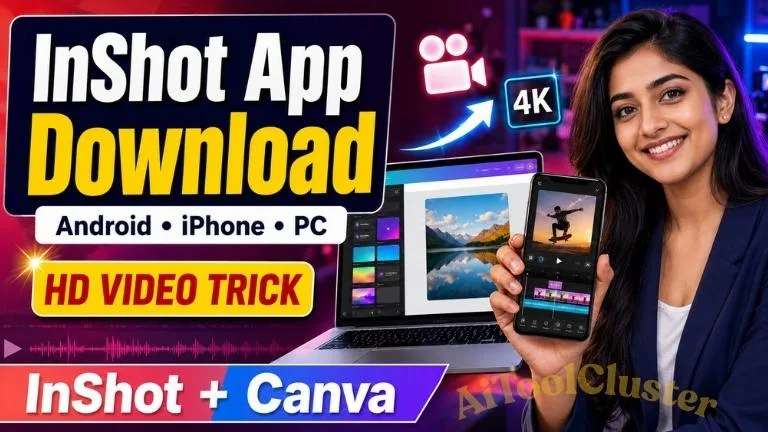
Inshorts App Download search કરીને તમે video editing app શોધી રહ્યા છો? તો અહીં એક નાની પરંતુ જરૂરી clarification છે. Video edit, reel, status અને YouTube video બનાવવા માટે ઉપયોગમાં લેવાતું appનું સાચું નામ InShot Video Editor છે. “Inshorts” મુખ્યત્વે news appનું નામ છે.
આ માર્ગદર્શિકામાં Android, iPhone અને official website માટે InShot app download links સાથે video editingની સંપૂર્ણ માહિતી આપવામાં આવી છે. સાથે અમે એક practical InShot to Canva HD video workflow પણ સમજાવીશું, જેની મદદથી Instagram Reels, YouTube Shorts અને WhatsApp Status માટે clean-quality video તૈયાર કરી શકાય છે.
Quick Answer: Android માટે InShot Google Play Store પરથી અને iPhone માટે Apple App Store પરથી download કરવું. Random APK website પરથી app download કરવું સુરક્ષિત નથી.
Inshorts App Download or InShot App Download?
ઘણા users Google પર “inshorts app download”, “inshort video editor” અથવા “inshort video maker” જેવા keywords search કરે છે. પરંતુ photo અને video editing માટે લોકપ્રિય applicationનું official spelling InShot છે.
Inshorts અને InShot બે અલગ applications છે. Inshorts એક short-news application છે, જ્યારે InShot એક video editor, photo editor અને collage maker છે. તેથી video editing app install કરતાં પહેલાં developer name અને official listing ચોક્કસ તપાસવી.
InShot App Overview
| App Information | Details |
|---|---|
| Application Name | InShot – Video Editor & Maker |
| Main Use | Video editing, photo editing, reels, shorts and collage |
| Available For | Android, iPhone and iPad |
| Export Quality | Custom HD resolution; supported devices may offer 1080p or 4K options |
| Price | Free download with ads and optional in-app purchases |
| Official Website | inshot.com |
InShot App Official Download Links
નીચે Android, iPhone અને official InShot websiteની verified links આપવામાં આવી છે. Official store પરથી app install કરવાથી latest updates અને security protection મળવાની શક્યતા વધારે રહે છે.
| Device | Official Download |
|---|---|
| Android Phone | Download from Play Store |
| iPhone and iPad | Download from App Store |
| Official Website | Visit InShot Website |
| Canva Video Editor | Open Canva |
Safety Warning: InShot Pro APK, cracked APK અથવા mod APK download કરવાથી malware, data theft, account risk અને copyright-related problems થઈ શકે છે. Official Play Store અથવા App Store versionનો ઉપયોગ કરવો વધુ સુરક્ષિત છે.
InShot Appની મુખ્ય Features
InShot beginner માટે સરળ interface આપે છે, પરંતુ તેમાં social-media content બનાવવા માટે અનેક useful editing tools પણ ઉપલબ્ધ છે.
- Video Trim and Split: Videoના બિનજરૂરી ભાગ cut અથવા clipsમાં split કરી શકાય છે.
- Merge Videos: અનેક clipsને જોડીને એક complete video બનાવી શકાય છે.
- Music and Voice-over: Videoમાં music, sound effect અને પોતાની voice ઉમેરી શકાય છે.
- Text and Stickers: Reels, status અને information video માટે text, captions અને stickers ઉમેરી શકાય છે.
- Transitions: બે clips વચ્ચે smooth transition effect આપી શકાય છે.
- Speed Control: Slow-motion, fast-motion અને speed-ramping effects બનાવી શકાય છે.
- Filters and Adjustments: Brightness, contrast, saturation અને video colours adjust કરી શકાય છે.
- Background and Ratio: Instagram, YouTube અને WhatsApp માટે અલગ aspect ratios પસંદ કરી શકાય છે.
- Picture-in-Picture: Main videoની ઉપર બીજો video અથવા image layer મૂકી શકાય છે.
- High-resolution Export: Device, source video અને selected settings મુજબ HD અથવા 4K export option મળી શકે છે.
આવી video-editing guides, educational applications અને useful digital tools વિશે વધુ વાંચવા માટે AIToolClusterની મુલાકાત લઈ શકો છો.
Androidમાં InShot App Download કેવી રીતે કરવું?
iPhoneમાં InShot App Download કેવી રીતે કરવું?
InShot Desktop અથવા PC પર કેવી રીતે વાપરવું?
InShotની official website desktop browserમાં open કરી શકાય છે અને ઉપલબ્ધ official products અથવા tools તપાસી શકાય છે. પરંતુ કોઈ third-party website “InShot for PC EXE”ના નામે અજાણી file આપે તો તેને તરત download ન કરવી.
તમારા computer માટે official desktop version અથવા online feature ઉપલબ્ધ છે કે નહીં તે હંમેશાં InShot official website પરથી જ verify કરવું. Mobile appના નામે unofficial emulator package અથવા modified installer install કરવાથી system security જોખમમાં પડી શકે છે.
InShotમાં Video Edit કરવાની સરળ રીત
InShot to Canva HD Video Trick
Main Practical Trick: પહેલા InShotમાં video સારી રીતે edit કરીને high-quality settingમાં export કરો. ત્યારબાદ Canvaમાં exact platform size ધરાવતું video design બનાવો, exported video upload કરો અને Canvaમાંથી MP4 formatમાં download કરો. આ workflowથી correct canvas size, text placement અને social-media-ready output મેળવવામાં મદદ મળી શકે છે.
Step 1: Original Video Quality સાચવો
Editing માટે WhatsAppથી forward થયેલો અથવા પહેલેથી compress થયેલો clip ટાળો. શક્ય હોય ત્યાં સુધી phone cameraની original file વાપરો. Editing software low-resolution videoમાં ગુમ થયેલી real details પાછી બનાવી શકતું નથી.
Step 2: InShot Project Ratio પસંદ કરો
| Platform | Recommended Ratio | Typical Canvas |
|---|---|---|
| Instagram Reel / YouTube Short | 9:16 | 1080 × 1920 |
| YouTube Landscape Video | 16:9 | 1920 × 1080 |
| Instagram Feed Portrait | 4:5 | 1080 × 1350 |
| Square Social Post | 1:1 | 1080 × 1080 |
Step 3: InShot Export Settings
- Resolution માટે ઓછામાં ઓછું 1080p પસંદ કરો.
- Original footage 30 FPS હોય તો સામાન્ય રીતે 30 FPS export કરો.
- Original footage 60 FPS હોય અને slow motion અથવા smooth action જરૂરી હોય તો 60 FPS પસંદ કરી શકાય.
- ઉપલબ્ધ હોય તો quality અથવા bitrateને High રાખો.
- Export દરમિયાન app minimize કરવાનું અને battery saver ચાલુ રાખવાનું ટાળો.
Step 4: Canvaમાં Correct Size બનાવો
Canva open કરીને Instagram Reel, Mobile Video, YouTube Video અથવા Custom Size પસંદ કરો. InShotમાંથી export કરેલો video upload કરીને page પર સંપૂર્ણ fit કરો. Canvaમાં જરૂર હોય તો title, logo, subtitle અથવા end screen ઉમેરો.
Step 5: Canvaમાંથી MP4 Download કરો
Final design check કર્યા પછી Download optionમાં MP4 Video પસંદ કરો. ઉપલબ્ધ હોય તો highest suitable quality select કરો. Download થયેલી file upload કરતાં પહેલાં phone અથવા computerમાં play કરીને picture અને audio quality તપાસો.
Reality Check: Canvaમાં video upload કરીને ફરી download કરવાથી blur videoમાં નવી visual details બનતી નથી. આ workflowનો સાચો ફાયદો correct dimensions, consistent layout અને platform-ready export છે. Best HD result માટે original source video અને InShotની પ્રથમ export quality સૌથી મહત્વપૂર્ણ છે.
Video Quality ખરાબ થતી અટકાવવા માટે Tips
- Original camera fileથી editing શરૂ કરો.
- એક જ videoને વારંવાર export અને re-edit ન કરો.
- 1080p sourceને બિનજરૂરી રીતે 4Kમાં upscale ન કરો.
- Low-light videoમાં excessive sharpening અથવા saturation ટાળો.
- Video upload કરતી વખતે stable Wi-Fi અથવા fast mobile data વાપરો.
- Instagram અથવા WhatsAppમાં ઉપલબ્ધ હોય તો high-quality upload setting enable કરો.
- Textને screenની એકદમ edge પાસે ન રાખો.
- Social platform માટે શરૂઆતથી correct aspect ratio રાખો.
- Copyright permission વગર movie clips અથવા commercial musicનો ઉપયોગ ન કરો.
Is InShot Free?
InShot app free download કરી શકાય છે, પરંતુ તેમાં advertisements અને optional in-app purchases હોઈ શકે છે. કેટલાક premium effects, filters, stickers અથવા watermark-removal જેવી સુવિધાઓ માટે paid planની જરૂર પડી શકે છે.
Subscription ખરીદતાં પહેલાં displayed price, billing period અને auto-renewal terms official Play Store અથવા App Store listingમાં તપાસવા.
InShot App Safe છે?
App official Google Play Store અથવા Apple App Store પરથી install કરવામાં આવે અને permissions ધ્યાનથી manage કરવામાં આવે તો unofficial APK કરતાં વધુ વિશ્વસનીય option છે. તેમ છતાં video-editing appને photos, videos, microphone અથવા storage accessની જરૂર પડી શકે છે.
ફક્ત જરૂરી permissions આપવી અને personal documents અથવા private videos edit કરતી વખતે privacyનું ધ્યાન રાખવું. Google Play listing મુજબ developer data collection અને sharingની માહિતી સમય અથવા region પ્રમાણે બદલાઈ શકે છે, તેથી installation પહેલાં Data Safety section વાંચવો.
Frequently Asked Questions
1. Inshorts App અને InShot App એક જ છે?
ના. Inshorts short-news application છે, જ્યારે InShot photo અને video editing application છે. આ article video editor InShot વિશે છે.
2. InShot App Android માટે ક્યાંથી download કરવું?
Android usersએ InShotને Google Play Storeની official listing પરથી download કરવું.
3. InShot iPhone માટે ઉપલબ્ધ છે?
હા. InShot Video Editor iPhone અને iPad માટે Apple App Store પર ઉપલબ્ધ છે.
4. InShotમાંથી 4K video export કરી શકાય?
Official listings મુજબ InShot high-resolution અને supported setupમાં 4K export આપી શકે છે. Actual option device, app version, source video અને selected settings પર આધાર રાખે છે.
5. Canva videoને HD બનાવી શકે છે?
Canva correct size અને clean final exportમાં મદદ કરી શકે છે, પરંતુ low-quality videoમાં ગુમ થયેલી original details પાછી બનાવી શકતું નથી.
6. InShot Pro APK download કરવું સુરક્ષિત છે?
Unofficial અથવા cracked APKમાં malware અને data-security risk હોઈ શકે છે. Official store versionનો ઉપયોગ કરવો.
7. Instagram Reel માટે best size શું છે?
Instagram Reel માટે સામાન્ય રીતે 9:16 ratio અને 1080 × 1920 canvas ઉપયોગી રહે છે.
Inshorts App Download keywordથી video editor શોધતા users માટે સાચું app name InShot Video Editor છે. તે Android અને iPhoneમાં video trim, merge, music, captions, effects, transitions અને high-resolution export માટે ઉપયોગી editing app છે.
સારી video quality મેળવવા માટે માત્ર app મહત્વનું નથી. Original footage, correct aspect ratio, 1080p export અને ઓછામાં ઓછું re-compression પણ જરૂરી છે. InShotમાં edit કરીને Canvaના matching canvasમાં final design તૈયાર કરવાથી social-media content વધુ professional બનાવી શકાય છે.
આવી ઉપયોગી app guides, online tools અને technology updates માટે AIToolCluster.com bookmark કરો.
Disclaimer: This article is an independent educational guide. AIToolCluster is not affiliated with or endorsed by InShot, Google Play, Apple or Canva. App features, prices and availability may change. Always verify current information on the respective official website or app store before downloading.

COMMENTS (0)
Be the first to comment!
Leave a Comment