
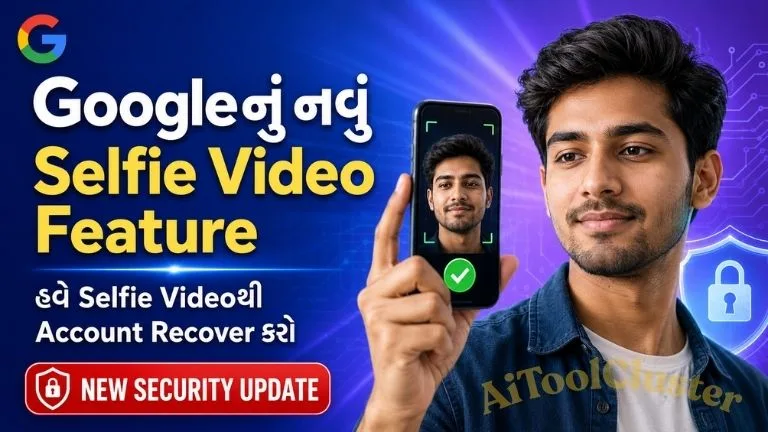
Google Selfie Video Sign-In Feature: હવે Selfie Videoથી Google Account Recover કરી શકાશે
Google દ્વારા પોતાના users માટે એક નવું અને ઉપયોગી security feature રજૂ કરવામાં આવ્યું છે, જેનું નામ Selfie Video Sign-In છે. જો તમે Google Accountનો password ભૂલી જાઓ, registered mobile number ઉપલબ્ધ ન હોય અથવા કોઈ કારણસર accountમાં sign in ન કરી શકો, તો આ feature account recovery માટે એક વધારાનો વિકલ્પ બની શકે છે.
આ featureમાં userએ અગાઉથી પોતાના Google Accountમાં એક નાનો selfie video record કરીને save કરવો પડે છે. ભવિષ્યમાં account access કરવામાં મુશ્કેલી આવે ત્યારે Google નવો live selfie video રેકોર્ડ કરાવી તેને અગાઉ save કરેલા video સાથે સરખાવે છે. બંને videosમાં વ્યક્તિ match થાય તો account access recover કરવામાં મદદ મળી શકે છે.
Important Links
Google Selfie Video Sign-In Feature શું છે?
Selfie Video Sign-In એ Google Accountની ઓળખ ચકાસવા માટેનો એક વૈકલ્પિક recovery method છે. તેમાં userએ deviceના camera સામે પોતાનો ટૂંકો video record કરવાનો હોય છે. Recording દરમિયાન screen પર આપવામાં આવતી સૂચના પ્રમાણે માથું અલગ દિશામાં ફેરવવું પડી શકે છે.
આ guided movementsનો ઉપયોગ વ્યક્તિ જીવંત છે કે માત્ર photo અથવા pre-recorded video બતાવવામાં આવી રહ્યો છે તે ચકાસવા માટે થાય છે. Googleના જણાવ્યા મુજબ selfie video encrypted સ્વરૂપમાં સુરક્ષિત રાખવામાં આવે છે અને user તેને account settingsમાંથી delete પણ કરી શકે છે.
આ Feature ક્યારે ઉપયોગી થશે?
Selfie Video verification નીચેની પરિસ્થિતિઓમાં ઉપયોગી બની શકે છે:
- Google Accountનો password યાદ ન હોય.
- Recovery mobile number હવે તમારી પાસે ઉપલબ્ધ ન હોય.
- Recovery email access ન થઈ રહ્યો હોય.
- Registered mobile અથવા computer ખોવાઈ ગયો હોય.
- Googleને accountના વાસ્તવિક ownerની ઓળખ ચકાસવાની જરૂર પડે.
- કેટલીક services અથવા features unlock કરવા real-person verification જરૂરી હોય.
આ traditional recovery phone, recovery email, passkey અથવા two-step verificationને સંપૂર્ણ રીતે replace કરતું નથી. તેને account recovery માટેના એક વધારાના backup option તરીકે જોવું વધુ યોગ્ય છે.
Google Accountમાં Selfie Video કેવી રીતે Setup કરવો?
જો તમારા Google Account માટે આ option ઉપલબ્ધ હોય તો નીચેના steps follow કરો:
- Mobile અથવા computerમાં તમારું Google Account open કરો.
- Profile picture પર click કરીને Manage your Google Account પસંદ કરો.
- Security & sign-in section open કરો.
- How you sign in to Google વિભાગ સુધી નીચે scroll કરો.
- અહીં Selfie video option દેખાય તો તેના પર click કરો.
- Continue button પસંદ કરીને camera permission allow કરો.
- Screen પર આપવામાં આવતી head movement instructions follow કરો.
- Recording પૂર્ણ થયા પછી setup confirmation check કરો.
Google compatible account અથવા deviceમાં QR code આપી શકે છે. આ QR code mobileથી scan કરીને selfie recording પૂર્ણ કરી શકાય છે.
Selfie Video Record કરતી વખતે ધ્યાનમાં રાખવાની બાબતો
- Mobile અથવા computerને stable internet connection સાથે connect રાખો.
- Device અથવા browserને camera access આપો.
- Face પર પૂરતો પ્રકાશ આવે તેવી જગ્યાએ recording કરો.
- Eyes, nose અને mouth સ્પષ્ટ દેખાવાં જોઈએ.
- Mask, sunglasses અથવા face ઢાંકે તેવી વસ્તુ દૂર કરો.
- Backgroundમાં અન્ય કોઈ વ્યક્તિનો ચહેરો ન દેખાય તેનું ધ્યાન રાખો.
- Screen પર બતાવવામાં આવતી head movement યોગ્ય રીતે પૂર્ણ કરો.
- Chromeમાં camera error આવે તો browser update કરીને ફરી પ્રયાસ કરો.
Selfie Videoથી Google Account Recover કેવી રીતે થશે?
Feature પહેલેથી setup કરેલું હોય અને તમે accountમાં sign in ન કરી શકો ત્યારે Google તમને short live selfie video record કરવાનો option આપી શકે છે. તેમાં માથું ફેરવવા જેવી specific action કરવાની સૂચના મળી શકે છે.
નવા videoને accountમાં અગાઉથી save કરેલા selfie video સાથે compare કરવામાં આવશે. Face match થયા પછી Google તમારી identity verify કરી account access મેળવવામાં મદદ કરી શકે છે. જોકે દરેક recovery attemptમાં selfie option જ મળશે એવી guarantee નથી. ઉપલબ્ધ recovery options account, location, device અને security checks પ્રમાણે બદલાઈ શકે છે.
શું Selfie Video Feature દરેક Google Accountમાં Available છે?
હાલ આ સુવિધા તમામ regions, accounts અને devices માટે ઉપલબ્ધ નથી. Googleના official support page પ્રમાણે નીચેના પ્રકારના accountsમાં Selfie Video Sign-In setup કરવાની સુવિધા હાલમાં ન મળી શકે:
- Google Workspace accounts
- Child accounts
- Advanced Protection Programમાં enrolled accounts
- હજુ rollout માટે eligible ન થયેલા accounts અથવા regions
તમારા accountમાં option ન દેખાય તો તેનો અર્થ એ નથી કે mobileમાં કોઈ problem છે. શક્ય છે કે Googleએ હજી તમારા account માટે feature enable ન કર્યું હોય.
Selfie Video Data સુરક્ષિત છે?
Googleના જણાવ્યા અનુસાર saved selfie video encrypted હોય છે. તેનો મુખ્ય ઉપયોગ future sign-in અથવા identity verification દરમિયાન નવા selfie video સાથે comparison કરવા માટે થાય છે. User પોતાના Google Accountમાંથી video delete કરી શકે છે.
Selfie Video page પર Improve Google services જેવો optional setting દેખાય તો તેને સ્વીકારતાં પહેલાં તેની વિગતો વાંચવી જોઈએ. તમારી privacy preference પ્રમાણે આ optional setting on અથવા off રાખી શકાય છે.
Biometric information સંવેદનશીલ હોય છે. તેથી selfie video માત્ર Googleના official account page અથવા official prompt પરથી જ record કરવો. WhatsApp, Telegram, email કે અજાણી website દ્વારા selfie video માંગવામાં આવે તો share ન કરવો.
Saved Selfie Video Delete કેવી રીતે કરવો?
- તમારું Google Account open કરો.
- Selfie Video settings page પર જાઓ.
- Save કરેલા selfie videoની બાજુમાં Delete option પસંદ કરો.
- Delete confirmation આપો.
Video delete કર્યા પછી selfie-based sign-in અથવા recoveryનો વિકલ્પ કામ ન કરી શકે. Google security reasons માટે deleted dataને થોડા સમય સુધી retain કરી શકે છે. Policy violation સંબંધિત કિસ્સામાં data વધુ સમય સુધી રાખવામાં આવી શકે છે.
Selfie Video Option ન દેખાય તો શું કરવું?
- Google Chrome અથવા Gmail application update કરો.
- સાચા Google Accountમાં sign in થયેલા છો તે check કરો.
- Google Accountના Security & sign-in sectionમાં ફરી તપાસો.
- Camera permission enabled છે કે નહીં તે check કરો.
- Featureના phased rolloutની રાહ જુઓ.
- Recovery phone અને recovery email updated રાખો.
Feature ઉપલબ્ધ ન હોય ત્યારે કોઈ third-party application, APK અથવા websiteનો ઉપયોગ કરીને તેને enable કરવાનો પ્રયાસ ન કરવો. Google Accountની security settings માત્ર official Google website અથવા applicationમાંથી જ manage કરવી.
Account Security માટે વધારાની Tips
Selfie Video એક ઉપયોગી backup બની શકે છે, પરંતુ account સુરક્ષિત રાખવા માટે માત્ર એક feature પર આધાર રાખવો યોગ્ય નથી. નીચેની settings પણ enable અને updated રાખવી જોઈએ:
- Recovery mobile number add કરો.
- Active recovery email address રાખો.
- Two-Step Verification enable કરો.
- શક્ય હોય ત્યાં passkey setup કરો.
- Unknown devices અને active sessions નિયમિત check કરો.
- Google password કોઈની સાથે share ન કરો.
- Fake Google recovery linksથી સાવધાન રહો.
Technology, mobile applications, online tools અને digital security વિશે આવી વધુ સરળ માહિતી માટે AIToolCluster પર ઉપલબ્ધ નવી guides વાંચી શકો છો.
Frequently Asked Questions
1. શું માત્ર selfie લઈને Google Account open કરી શકાય છે?
ના. આ processમાં સામાન્ય photoના બદલે guided movements સાથે short live selfie video record કરવો પડે છે. Feature પણ accountમાં અગાઉથી setup થયેલું હોવું જરૂરી છે.
2. શું password ભૂલી જાઉં તો Selfie Video ઉપયોગી થશે?
હા, eligible accountમાં Google recovery દરમિયાન selfie verificationનો option આપી શકે છે. પરંતુ તે દરેક attemptમાં ઉપલબ્ધ રહેશે એવી ખાતરી નથી.
3. Account lock થયા પછી Selfie Video setup કરી શકાય?
ના. Google મુજબ account lock થયેલું હોય અથવા recovery process ચાલુ હોય ત્યારે નવો sign-in selfie setup કરી શકાતો નથી.
4. શું Google Workspace Accountમાં આ feature મળે છે?
હાલ Google Workspace, Child accounts અને Advanced Protection Programમાં enrolled accounts માટે આ option ઉપલબ્ધ નથી.
5. Selfie Video delete કરી શકાય છે?
હા. Google Accountની Selfie Video settingsમાંથી saved video delete કરી શકાય છે. Delete કર્યા પછી તેનો sign-in માટે ઉપયોગ નહીં કરી શકાય.
6. Selfie Video option ન દેખાય તેનું કારણ શું છે?
Google આ feature તબક્કાવાર rollout કરી રહ્યું છે. તમારો region, account અથવા device હજી eligible ન હોવાને કારણે option દેખાતો ન હોઈ શકે.
Googleનું Selfie Video Sign-In feature account recoveryને વધુ સરળ અને સુરક્ષિત બનાવવા માટેનો નવો વૈકલ્પિક માર્ગ છે. ખાસ કરીને recovery phone, email અથવા trusted device ઉપલબ્ધ ન હોય ત્યારે તે મદદરૂપ થઈ શકે છે. જોકે userએ આ feature account lock થાય તે પહેલાં setup કરવું જરૂરી છે.
Feature ઉપયોગ કરતાં પહેલાં privacy settings વાંચવી, official Google pageનો જ ઉપયોગ કરવો અને recovery phone તથા email જેવા અન્ય security options પણ updated રાખવા જોઈએ.
Google Account selfie verification, Gmail account recovery, selfie video account recovery, Google selfie login
Disclaimer: આ લેખ informational purpose માટે તૈયાર કરવામાં આવ્યો છે. Featureની availability અને process Google દ્વારા account, region અને device પ્રમાણે બદલવામાં આવી શકે છે. કોઈપણ setting બદલતાં પહેલાં official Google instructions check કરો.



COMMENTS (0)
Be the first to comment!
Leave a Comment