
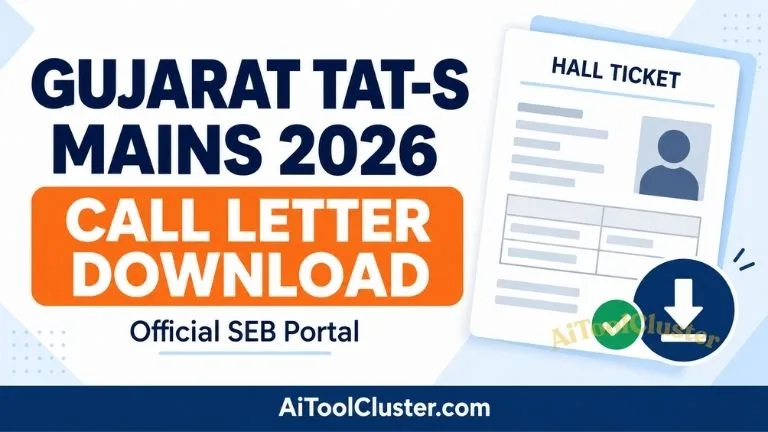
Gujarat TAT S Mains Call Letter Download 2026 link? The State Examination Board, Gandhinagar, has announced that TAT-S Mains hall tickets for Gujarati and English mediums can be downloaded from 14 September 2026 at 2:00 PM. Candidates should use the official SEB portal to access their hall ticket.
Date: 14 September 2026
Time: From 2:00 PM
Mediums covered by the notice: Gujarati and English
Gujarat TAT S Mains Call Letter 2026
| Examination | Teacher Aptitude Test (Secondary), Mains 2026 |
|---|---|
| Conducting authority | State Examination Board, Gandhinagar |
| Hall ticket schedule | 14 September 2026, from 2:00 PM |
| Login details | Confirmation number and date of birth |
| Exam centre and reporting time | Check your individual hall ticket |
Official TAT S Mains Hall Ticket Download Link
Keep your application details ready before opening the portal. The button below takes you directly to SEB’s Print Hall Ticket page. AiToolCluster does not collect your confirmation number or date of birth.
Open the official SEB hall ticket portal
Download TAT S Mains Call LetterOpens sebexam.org in a new tab. Enter your details there to retrieve the document.
"સર્વર પર લોડ હોવાના કારણે Refresh કરતા રહેવું"
How to Download Gujarat TAT S Mains Call Letter 2026
- Open the official download page using the button above.
- If the portal asks you to select an examination, choose the relevant TAT-S Mains 2026 option.
- Enter your confirmation number carefully.
- Enter your date of birth in the format requested on the form.
- Click Submit to retrieve your hall ticket.
- Check the displayed details before saving or printing it.
The official portal also mentions an alternative using the confirmation number and Aadhaar DISE number. Follow the fields and instructions displayed for your examination.
How to Save the Hall Ticket as a PDF on Mobile
Open the SEB link in your phone’s browser. Once your hall ticket is displayed, use the page’s download or print option, if available. Alternatively, check the browser’s menu for Print or Share → Print and choose Save as PDF where supported. The exact menu varies by device and browser.
Reopen the saved file to make sure every page is visible and the text is readable. Keep a backup copy for your own use. Follow the hall ticket’s instructions about the printed copy required at the centre.
Details to Check Before Printing
Review your hall ticket as soon as you retrieve it. Where these fields appear, check them against your application:
- Your name, photograph and identifying details.
- The examination name, subject and medium.
- The examination date, session and reporting time.
- The complete centre address and any entry instructions.
- The documents and permitted items specified for examination day.
If anything appears incorrect, use the contact information published by SEB or printed on the hall ticket. Do not edit the downloaded document yourself.
Call Letter Not Opening? Try These Checks
The portal does not accept your details
Compare the confirmation number with your saved application or acknowledgement. Remove accidental spaces and check the date-of-birth format. If an exam selector appears, confirm that you selected TAT-S Mains rather than another examination.
The page is slow or fails to load
Check your internet connection and try again after a short interval. You can also open the link in another browser. A loading error alone does not establish that your application has been rejected.
You cannot find your confirmation number
Look through your saved application, acknowledgement and any registration messages you received. If you still cannot locate it, consult the official website for assistance. Avoid sharing personal application details in public comments.
Before You Leave for the Examination
Read all pages of the hall ticket, including instructions printed below or after the candidate details. Plan your travel using the exact centre address. Prepare the identification documents and stationery specified by the board, and follow the stated reporting time and restrictions.
Keep your printed document readable and undamaged. Do not assume that a screenshot on your phone will replace any required printout.
Frequently Asked Questions
Where can I download the TAT S Mains Call Letter 2026?
Use the State Examination Board’s official Print Hall Ticket page linked above.
Does the button download my hall ticket immediately?
No. It opens the official login page. Your individual hall ticket can be retrieved after you provide the required details.
Can I use this guide for TAT-HS?
This article concerns TAT-S Mains. For TAT-HS, check the separate examination notice and select the appropriate examination on the portal.
What should I do after downloading?
Verify your details, read the instructions, save a copy and arrange the printout and documents specified for your examination.
Official Sources
AiToolCluster is an independent information website, not the State Examination Board. The board’s latest notices and your individual hall ticket take precedence if any details change.


COMMENTS (0)
Be the first to comment!
Leave a Comment