
TEACHER PROFESSIONAL DEVELOPMENT
NISHTHA Training 2026-27: DIKSHA Courses & Login Guide
Find NISHTHA course references, understand category-wise training topics and learn how to check enrollment, complete activities and access certificates through DIKSHA.
Sign in to check the courses and batches available to your account.
Information review: 21 September 2026
NISHTHA Training 2026-27 is a professional learning topic for teachers and education functionaries looking for structured online training. The supplied training information covers foundational learning, early childhood education, digital safety, environmental awareness and classroom research. This guide organises that information into a practical reference for using the DIKSHA learning portal.
Important: Check the Current Training Cycle
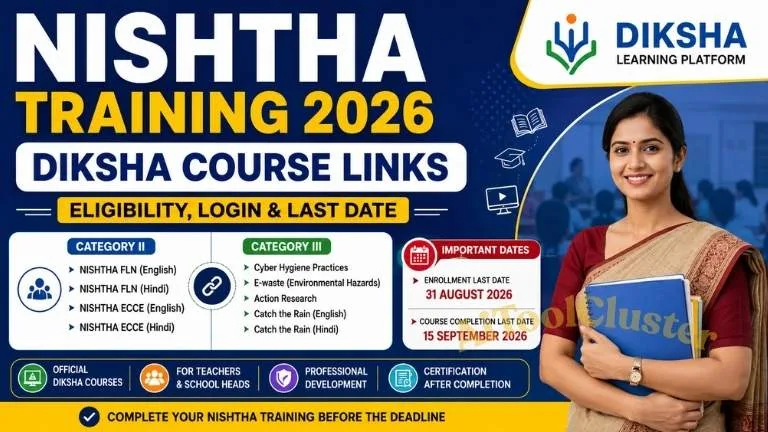
The supplied training note lists 31 August 2026 for enrollment and 15 September 2026 for completion. Both dates have passed. It also mentions a possible October 2026 Cycle 2, but its opening date and new batch links have not been independently confirmed. Check DIKSHA and your department's latest instructions before enrolling.
NISHTHA Training: Quick Overview
| Training | NISHTHA professional development courses |
|---|---|
| Learning Platform | DIKSHA learning portal |
| Topics in the Note | FLN, ECCE, cyber hygiene, e-waste, action research and water conservation |
| Course Selection | Follow the target group, language and batch specified in your applicable training order |
| Current Enrollment | Check availability after signing in |
Who Should Check These Courses?
The supplied note discusses teachers, principals and CRC/BRC personnel. However, a course appearing in a list does not make it compulsory for every participant. Your teaching stage, role and the latest departmental directions should determine which courses you complete.
Before choosing a course, confirm three details: your target group, the required language and the active batch. If your school has received a specific course allocation, use that allocation when checking the portal.
Category 2: FLN and ECCE Course References
The supplied material places FLN and ECCE under Category 2. FLN refers to Foundational Literacy and Numeracy, while ECCE refers to Early Childhood Care and Education.
1. NISHTHA FLN
Foundational literacy and numeracy concern the early reading, language and mathematical understanding that support later learning.
FLN — English FLN — Hindi2. NISHTHA ECCE
Early childhood education focuses on young children's development and learning. Check the course description to understand its intended participants and activities.
ECCE — English ECCE — HindiCategory 3: Professional Development Topics
The supplied note lists the following Category 3 course references. Use the buttons to inspect the relevant pages after login.
Cyber Hygiene Practices: Personal Digital Devices
A digital-safety topic relevant to the responsible use of personal devices.
View English Course →Environmental Hazards of Electronic Waste
An environmental-awareness topic concerning discarded electronic equipment.
View English Course →Action Research
Action research offers a structured way to investigate a classroom problem, try an intervention and reflect on the outcome.
View English Course →Catch the Rain
A water-conservation topic listed in English and Hindi in the supplied training material.
English Course Hindi CourseCourse-link note: These URLs are reproduced from the supplied training material and point only to the DIKSHA domain. Current page availability and enrollment have not been confirmed. They may refer to an earlier batch; do not assume they are Cycle 2 links.
How to Enroll Through DIKSHA
Step 1: Open the DIKSHA learning portal and follow its available sign-in or registration method.
Step 2: Review your profile and complete any details required for your training.
Step 3: Locate your assigned course. Check its title, language, target group and batch dates.
Step 4: Use the enrollment option if it is available. A visible course page does not necessarily mean enrollment is open.
Step 5: Confirm that the course appears in your account, then follow its learning sequence and completion requirements.
Course Completion and Certificate Checklist
Complete the required activities: Work through the readings, videos and other tasks shown in the course.
Follow assessment rules: Check the actual passing criteria and attempt limits. Do not assume every course uses the same requirements.
Review progress: Confirm that required activities are marked complete rather than relying only on having opened them.
Check certificate availability: If the course offers a certificate, follow its issuance conditions and download option. Retain a copy for your training records when available.
Video, PDF or Progress Not Working?
Start by checking your connection and reopening the affected activity. If using an app, check for an available update. If a download option is provided, you may use it for supported offline learning; reconnect afterwards and verify that your progress has synced.
Repeatedly switching the internet off and on is not a guaranteed completion fix. If an activity remains incomplete, record the course name, activity title and error message, then use the support option provided by the platform or your training coordinator.
Frequently Asked Questions
Are seven courses compulsory for every teacher?
A universal requirement cannot be established from the supplied list. Follow the official allocation for your role. Language versions should not automatically be counted as separate compulsory subjects.
Should I complete both Hindi and English versions?
Check your training instructions before choosing a language. The presence of two links alone does not establish that both versions are required.
What if I missed the earlier enrollment deadline?
Check for a new official batch announcement. The supplied note mentions October Cycle 2, but its schedule and enrollment links still need confirmation.
What if a course link does not open?
Sign in through the portal homepage and search for the course. An old batch may be closed or unavailable, so check the latest instructions before using an alternative batch.
Check Your DIKSHA Training Account
Review available courses, current batches and your learning progress.
Login to DIKSHA →Information note: Course references and earlier dates are based on the supplied training material. For current enrollment, eligibility and certification requirements, follow the official DIKSHA learning portal and your applicable departmental instructions.

COMMENTS (0)
Be the first to comment!
Leave a Comment