
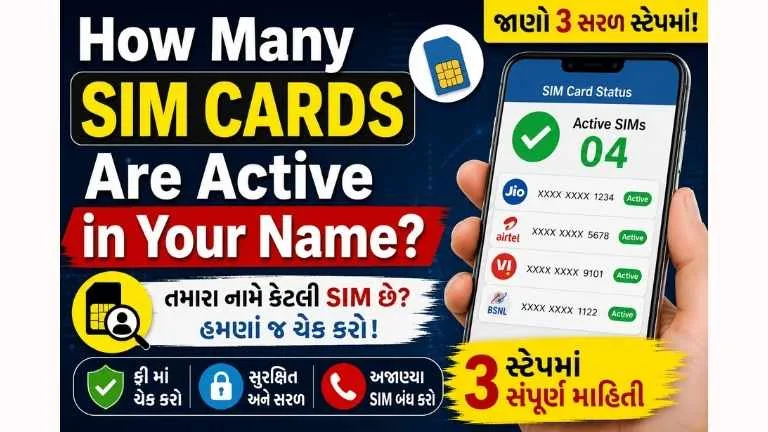
How to Check SIM Cards Registered in Your Name in 2026
Want to check how many SIM cards are registered in your name? Use Sanchar Saathi’s TAFCOP service to review your mobile connections and report numbers you do not recognize. This guide explains the official SIM card check process, OTP verification and practical steps for digital identity protection.
People often search for an “Aadhaar card SIM check,” but the public TAFCOP process uses your mobile number and OTP. Reviewing your connections can help you spot unauthorized SIM registrations as part of your mobile security and identity theft prevention routine.
Quick answer: Visit the official Sanchar Saathi website, select Know Mobile Connections in Your Name, enter your active 10-digit mobile number and captcha, and complete OTP verification. You will then see the mobile connections registered in your name. If a connection is unfamiliar, mark it as This is not my number. If it is yours but no longer needed, select Not required.
Check that the browser hostname is sancharsaathi.gov.in or an official subdomain such as tafcop.sancharsaathi.gov.in before entering your mobile number or OTP. A familiar name inside a longer, unrelated web address is not proof of authenticity.
Can You Check SIM Cards Directly with an Aadhaar Number?
The popular search phrase “Aadhaar card SIM check” can create the wrong impression. The official public process does not ask you to type your 12-digit Aadhaar number into a general search box. Instead, TAFCOP verifies an active mobile number through OTP and then displays the connections issued in the subscriber’s name.
This difference matters for digital identity security. You should never upload an Aadhaar image, enter an Aadhaar number or share an OTP on an unknown website that promises to reveal “all SIM details.” Use only the official Sanchar Saathi domain or contact your telecom operator through its verified customer-care channel.
Privacy warning: No legitimate agent needs your OTP over a phone call, WhatsApp chat or screen-sharing app to perform this check. Enter the OTP yourself only on the official government page. Never share an Aadhaar OTP, banking OTP, UPI PIN or card CVV.
How to Check How Many SIMs Are Registered in Your Name
The following steps work on an Android phone, iPhone, laptop or desktop browser. Keep a mobile number issued in your name nearby because the portal uses it for OTP authentication.
- Open the official portal. Go to sancharsaathi.gov.in. Avoid sponsored look-alike pages and similarly named private websites.
- Choose the correct service. On the portal, select Know Mobile Connections in Your Name. This is the TAFCOP consumer-protection service.
- Enter your active mobile number. Type the 10-digit Indian mobile number that you currently use and can access.
- Complete the captcha. Enter the security code displayed on the page. If it is unclear, refresh the captcha instead of guessing repeatedly.
- Request and verify the OTP. Tap the OTP button, enter the one-time password received on your phone and complete verification. Do not tell the OTP to anyone.
- Review the mobile connections. The dashboard will show the mobile numbers issued in your name. Some digits may be masked for security. Compare the list with your active, spare, family-use and old connections.
- Report a connection only when necessary. Choose This is not my number for a connection you never obtained. Choose Not required if the number is yours but you no longer want it.
- Save the reference details. Submit the request and take a screenshot or note the reference number so you can track or discuss it with the telecom operator later.
What the Options on TAFCOP Mean
- This is not my number: Select this only for a connection you did not obtain. Check old and family-use numbers first.
- Not required: Use this for your own number that you no longer need. Update linked accounts before requesting closure.
- Required: If this option is shown, use it to confirm a connection you want to keep.
Do not rush: A partly masked number can look unfamiliar. Check old recharge messages, dual-SIM phones, family devices and numbers used for business before reporting it. A wrong report could interrupt access to accounts linked with that SIM.
What Happens After You Report an Unknown SIM?
A TAFCOP report is not the same as instantly switching off a number from your screen. The request is sent through the official process so the concerned telecom service provider can verify it and take appropriate action. Keep the reference number and monitor any status update shown by the portal.
If the unfamiliar number appears connected with active fraud, financial loss, threats or impersonation, preserve screenshots and transaction records. For suspected fraud communications, Sanchar Saathi also provides the Chakshu reporting facility. If money has already been lost in a cyber fraud, use the official national cybercrime reporting channel or call 1930 promptly; a normal SIM-review request is not a replacement for an urgent financial-fraud complaint.
Official Links to Check SIM Cards and Report Fraud
| Official service | Link |
|---|---|
| Check SIM cards in your name | Check SIMs |
| Sanchar Saathi homepage | Open Portal |
| Report suspected fraud communication | Open Chakshu |
| National Cybercrime Reporting Portal | Report Cybercrime |
These buttons open external government services. AIToolCluster does not collect your Aadhaar number or OTP. If the direct TAFCOP page does not open, use the Sanchar Saathi homepage to find the service.
SIM Card Fraud, Identity Theft and Mobile Security
A mobile connection is more than a calling number. It may be used for account verification, password recovery, digital payments and access to online services. An unauthorized connection issued against your identity can create avoidable cybersecurity, financial and legal complications.
- Identity theft risk: Misused identity documents may be connected with an unauthorized telecom account.
- Online fraud exposure: Fraudsters can use illegally obtained connections for deceptive calls, messages or fake accounts.
- Account security problems: An old number may still receive password-reset or verification messages if you forgot to update an account.
- Investigation difficulties: A number shown in your name may require explanation if it is misused.
- Personal data exposure: Uploading Aadhaar documents to fake checking sites can create a second privacy problem.
Checking the list periodically is a simple part of personal data protection, just like reviewing bank statements, updating passwords and monitoring sign-in alerts.
Protect Your Online Accounts Before Closing an Old SIM
If a connection is genuinely yours but no longer needed, take a few precautions before selecting Not required or asking the operator to close it:
- Identify every bank account, UPI app, wallet and credit-card profile using the number.
- Update the number in Aadhaar-related, PAN, income-tax, DigiLocker and other government accounts where applicable.
- Change the recovery number for Gmail, Apple ID, Microsoft, social media and cloud storage.
- Move WhatsApp or other messaging accounts using the platform’s official change-number feature.
- Download important bills, contacts or messages and remove the number from business listings.
- Confirm the closure method and final status with the telecom operator.
Best practice: Keep a simple private list of your active mobile numbers, telecom operators, recharge dates and the important accounts linked to each number. Do not store Aadhaar images or OTPs in that list.
TAFCOP OTP Not Received or Portal Not Working
OTP is delayed
Confirm that the phone has network coverage, the number was entered correctly and SMS services are active. Wait briefly before requesting another OTP. Repeated requests can trigger a temporary delay.
Captcha keeps failing
Refresh the captcha, check uppercase and lowercase characters, and try a current version of Chrome, Edge, Firefox or Safari. Disable a problematic browser extension only if you trust the device.
Page does not load
Use the main Sanchar Saathi homepage and open the service from there. Try another network or browser later if the government portal is temporarily busy. Do not switch to an unofficial clone merely because it loads faster.
A known SIM does not appear
Recheck whether the connection was obtained in your name, recently activated, transferred or closed. For an operator-specific record or KYC discrepancy, contact the telecom provider through its official store or verified support channel.
Digital Identity Protection and SIM Fraud Prevention Tips
- Use only the official Sanchar Saathi or telecom-operator channel for SIM verification.
- Never give an OTP to a caller claiming to “verify,” “upgrade” or “block” your SIM.
- Do not allow an unknown person to use screen-sharing or remote-control apps on your phone.
- Write the purpose and date on an identity-document photocopy when a copy is legitimately required.
- Do not leave a signed blank customer form or unattended Aadhaar copy at a shop.
- Protect your email and telecom accounts with strong, unique passwords.
- Review mobile connections after losing identity documents or noticing suspicious KYC messages.
- Report a lost phone and protect its SIM promptly; use CEIR when device blocking is required.
For more practical mobile, government-service and online safety guides, visit AIToolCluster.
Frequently Asked Questions
How can I check how many SIMs are linked to my Aadhaar card?
Open the official Sanchar Saathi portal, choose Know Mobile Connections in Your Name, enter your active mobile number and captcha, and verify the OTP. TAFCOP will then show the mobile connections issued in your name.
Do I need to enter my Aadhaar number on TAFCOP?
No. The official checking process uses an active Indian mobile number, captcha and OTP. Do not enter your Aadhaar number or upload its image on an unofficial SIM-checking website.
What should I do if an unknown SIM appears in my name?
First make sure it is not an old or family-use connection obtained by you. If it is truly unfamiliar, select This is not my number, submit the report and save the reference details.
Is the Sanchar Saathi TAFCOP service free?
Yes. It is a citizen service provided through India’s Department of Telecommunications and does not require a paid subscription.
Can TAFCOP show someone else’s phone number details with name?
No. TAFCOP lets a subscriber review mobile connections issued in their own name after OTP verification. It is not a public tool for revealing someone else’s private identity or KYC information.
Can I report an unused number instead of an unknown number?
Yes. Use Not required when the SIM belongs to you but is no longer needed. Use This is not my number only when you did not obtain or recognize the connection.
Does reporting an unknown SIM disconnect it instantly?
No. The report is forwarded through the official process for verification and appropriate action. Save the reference number and follow the status or contact the concerned operator if needed.
Official Sources
- Sanchar Saathi – Department of Telecommunications
- Know Mobile Connections in Your Name – TAFCOP
- Sanchar Saathi Help
- Chakshu – Report Suspected Fraud Communication
- National Cybercrime Reporting Portal
Disclaimer: This article provides general consumer-awareness information. Portal labels, rules and procedures can change. Verify the current instructions on the official Sanchar Saathi and Department of Telecommunications websites. Do not share an OTP, Aadhaar image, banking credential or identity document with an unknown person or website.




COMMENTS (0)
Be the first to comment!
Leave a Comment