
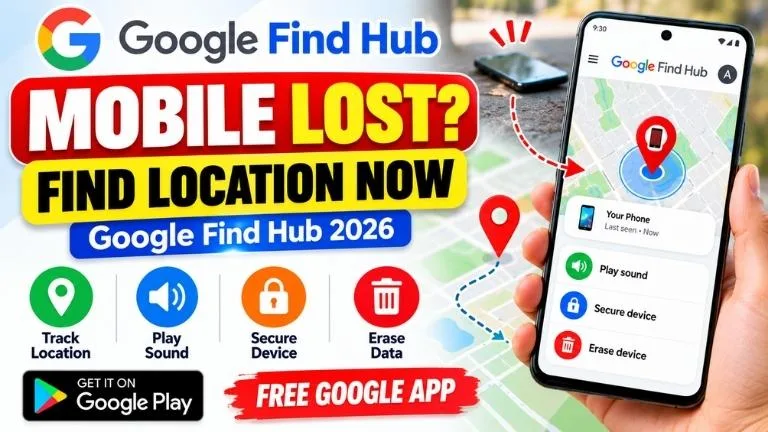
Lost your Android phone? Before assuming that it is gone forever, you may be able to locate it using Google's official Find Hub service.
Google Find Hub is designed to help users find supported Android phones, tablets, headphones and other compatible devices and items. Depending on the device and settings, you may be able to view its location, play a sound, secure a lost phone or erase its data remotely.
Google Find Hub – Quick Overview
| Feature | Details |
|---|---|
| App Name | Google's Find Hub |
| Developer | Google LLC |
| Main Purpose | Find and protect supported lost devices and items |
| Phone Location | View available device location on a map |
| Play Sound | Make a nearby lost device ring |
| Lost Device Protection | Secure a device and display contact information where supported |
| Remote Erase | Erase device data as a last resort |
| Developer | Google LLC |
| Platform | Android and Web |
What is Google Find Hub?
Google Find Hub is Google's official service for locating supported Android devices and compatible items associated with your account.
If your Android phone is misplaced, lost or stolen, Find Hub can provide tools that may help you locate or protect the device.
What Can Google Find Hub Do?
- Show supported devices on a map
- Display available or recent location information
- Play a sound when a lost phone is nearby
- Help secure a lost Android device
- Display a custom message or contact information on the lock screen where available
- Erase device data remotely as a last resort
- Help locate certain compatible devices and accessories
- Use the Find Hub network to assist with finding supported offline devices or items
How to Find a Lost Android Phone Using Find Hub
If your Android phone is missing, you can use another Android device or a web browser to access Google's Find Hub.
Step 1: Open Google Find Hub
On another Android phone, open the Find Hub app. You can also access Google's Find Hub service using a web browser.
Step 2: Sign In
Sign in using the Google Account associated with the missing Android device.
Step 3: Select Your Lost Phone
After signing in, select the missing device from the list of devices associated with your account.
Step 4: Check the Map
If location information is available, Find Hub can show the device's location or available recent location information on a map.
The information you see depends on the phone, connectivity, settings and available Find Hub network information.
Step 5: Choose the Appropriate Action
Depending on the situation and device, Find Hub may provide options such as:
- Play Sound
- Mark/Secure as Lost
- View Location
- Erase Device
Use Play Sound When the Phone is Nearby
If you think your phone is somewhere around your home, office, classroom, car or another nearby place, try the Play Sound feature first.
This can help you locate a phone hidden under furniture, inside a bag or in another nearby location.
What Should You Do If the Phone Was Stolen?
If you believe the phone was stolen rather than simply misplaced, protecting your personal information becomes especially important.
You can use Find Hub's available security features to help secure the device. Where supported, you may also be able to display contact information or a message on its lock screen.
Can Find Hub Find a Phone That Is Offline?
Google's Find Hub network is designed to help locate supported devices and items even when they are offline in certain circumstances.
Nearby participating Android devices can contribute encrypted location information to the Find Hub network, allowing supported lost devices or items to be located under compatible conditions.
Availability can vary according to the Android device, version, settings, region and network participation.
What If the Lost Phone Is Switched Off?
A powered-off phone cannot continuously send ordinary live GPS or mobile-data updates. However, Find Hub may still provide useful available or recent location information, and some supported devices can benefit from Find Hub network capabilities.
Therefore, do not assume that Find Hub is useless simply because your device has temporarily gone offline.
How to Secure Your Lost Android Phone
If you cannot immediately recover your device, use the available Find Hub security options.
Securing the phone can help prevent unauthorized access while giving you time to determine whether the device can be recovered.
You may also be able to display a message or contact number on the lock screen so that an honest finder can contact you without accessing your personal data.
Remote Erase – Use Only as a Last Resort
If recovery appears unlikely and protecting sensitive data is your priority, Find Hub includes an option to erase a supported Android device remotely.
Requirements for Finding a Lost Android Phone
The effectiveness of Find Hub depends on your device and its configuration. For full remote functions, factors such as the following can matter:
- The phone has power
- The phone is associated with your Google Account
- Find Hub is enabled
- Location-related settings are appropriately configured
- The device has network access when required
- A PIN, pattern or password is configured for relevant Find Hub network functionality
Set Up Find Hub Before Your Phone Gets Lost
The best time to prepare Find Hub is before you lose your phone.
On your Android device, check the Find Hub settings and make sure the relevant device-finding features are enabled. Menu names can differ slightly according to Android version and phone manufacturer.
Google Find Hub App Download
If you want to use the Android application, download Google's Find Hub only from the official Google Play listing.
Important Link
Find Hub Privacy and Security
Device location is highly sensitive information, so privacy is an important part of any device-finding service.
Google states that location information in the Find Hub network is encrypted. Users should still protect their Google Account with a strong password and appropriate account-security settings.
Avoid Fake IMEI and Mobile Number Tracker Websites
When a phone goes missing, you may find websites claiming that they can instantly show the exact live location of any mobile number or IMEI.
Be careful with such claims. Do not provide your Google password, OTP, banking information or other sensitive details to unknown tracking websites.
Frequently Asked Questions
Can I find my lost Android phone with Google?
Google Find Hub can help locate supported Android devices associated with your Google Account when the necessary conditions and settings are available.
Is Find My Device now called Find Hub?
Yes. Google's device-finding experience previously known as Find My Device is now presented as Find Hub.
Can I make my lost phone ring?
Yes. Find Hub includes a Play Sound feature that can be useful when a missing phone is nearby.
Can Find Hub locate an offline phone?
The Find Hub network can assist in finding supported offline devices and items under compatible conditions. The result depends on the device, settings and available network information.
Can I erase a stolen phone remotely?
Find Hub provides a remote erase option for supported Android devices. Because erasing data is irreversible and may affect subsequent tracking, it should generally be treated as a last resort.
Is Google Find Hub free?
Google's Find Hub app is available through Google Play. Check the official listing for current availability and compatibility with your device.
Losing a smartphone can be stressful, but Android users have an official tool designed specifically for locating and protecting supported devices. Google Find Hub can help you check available location information, make a nearby phone ring, secure a lost device and, when necessary, erase its data.
Set up Find Hub before an emergency occurs and keep your Google Account secure. If your phone ever goes missing, you will then have a better chance of taking action quickly.
Disclaimer: AiToolCluster is an independent informational website and is not affiliated with Google. Features and availability may vary by device, Android version, region and settings. Always refer to Google's official information for current instructions.



COMMENTS (0)
Be the first to comment!
Leave a Comment