
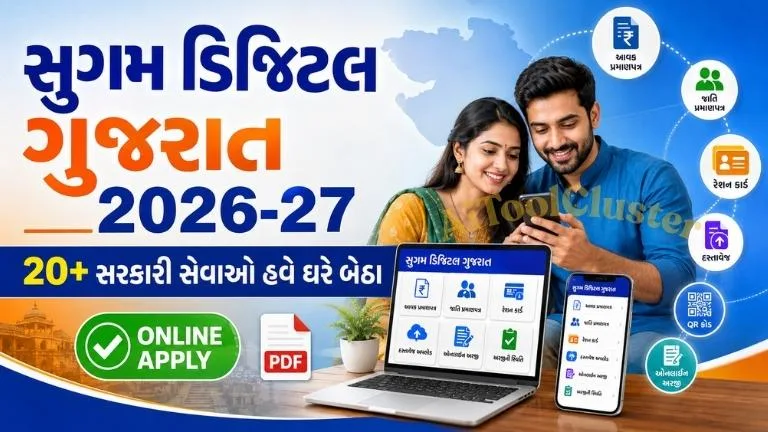
Sugam Digital Gujarat Online Portal 2026-27
ગુજરાતના નાગરિકો હવે આવકનો દાખલો, જાતિ પ્રમાણપત્ર, Non-Creamy Layer Certificate અને Ration Card સહિત 20 મહત્વપૂર્ણ સરકારી સેવાઓ માટે ઘરે બેઠા Online Apply કરી શકે છે.
Sugam Digital Gujarat Online Portal 2026-27 ગુજરાત સરકારની citizen-centric digital initiative છે. તેનો મુખ્ય હેતુ નાગરિકોને સરકારી પ્રમાણપત્રો અને દસ્તાવેજો મેળવવા માટે વારંવાર કચેરીમાં જવાની જરૂરિયાત ઘટાડવાનો છે. આ વ્યવસ્થા અંતર્ગત સૌથી વધુ માંગ ધરાવતી 20 સરકારી સેવાઓને faceless, cashless અને paperless બનાવવામાં આવી છે.
પોર્ટલ પર નાગરિકો online registration કરી શકે છે, જરૂરી service પસંદ કરી શકે છે, documents upload કરી શકે છે, લાગુ પડતી fee online ભરી શકે છે અને application status પણ track કરી શકે છે. અરજી મંજૂર થયા પછી ઉપલબ્ધ વ્યવસ્થા પ્રમાણે eSign અને QR Code ધરાવતું પ્રમાણપત્ર online download કરી શકાય છે.
Sugam Digital Gujarat Portal શું છે?
Sugam Digital Gujarat ગુજરાત સરકારની એવી પહેલ છે જેના દ્વારા નાગરિકોના રોજિંદા જીવનમાં વારંવાર જરૂરી બનતી સરકારી સેવાઓને એક સરળ online system સાથે જોડવામાં આવી છે. અગાઉ આવકનો દાખલો, જાતિ પ્રમાણપત્ર અથવા રેશનકાર્ડમાં સુધારો કરાવવા માટે અરજીપત્રક, પુરાવા અને નકલો સાથે સરકારી કચેરી કે Jan Seva Kendra પર જવું પડતું હતું.
નવી digital processમાં Aadhaar authentication, DigiLocker, online document verification, eSign, QR Code અને online payment જેવી સુવિધાઓનો ઉપયોગ કરવામાં આવે છે. આથી અરજીની પ્રક્રિયા વધુ ઝડપી, પારદર્શક અને track કરી શકાય તેવી બને છે.
ગુજરાત સરકાર સંબંધિત અન્ય ઉપયોગી માહિતી માટે તમે અમારી Vahali Dikri Yojana 2026 માર્ગદર્શિકા પણ વાંચી શકો છો.
Sugam Digital Gujarat Portal Overview
| પોર્ટલનું નામ | Sugam Digital Gujarat |
|---|---|
| રાજ્ય | Gujarat |
| લાભાર્થી | ગુજરાત રાજ્યના પાત્ર નાગરિકો |
| કુલ મુખ્ય સેવાઓ | 20 Government Services |
| અરજીનો પ્રકાર | Online |
| મુખ્ય સુવિધાઓ | Aadhaar Authentication, DigiLocker, eSign, QR Code અને Online Payment |
| સંબંધિત Portal | Digital Gujarat |
| Official Website | digitalgujarat.gov.in |
| Helpline | 1800-233-5500 |
Sugam Digital Gujarat Portal પર મળતી 20 Services
પ્રથમ તબક્કામાં પાંચ મુખ્ય વિભાગોની સૌથી વધુ ઉપયોગમાં લેવાતી 20 સેવાઓને online processમાં આવરી લેવામાં આવી છે. Portal પર login કર્યા પછી ઉપલબ્ધ serviceનું નામ અને તેની category ચકાસવી જરૂરી છે.
| ક્રમ | Online Service | વિભાગ/Category |
|---|---|---|
| 1 | Income Certificate – Rural | આવકનો દાખલો |
| 2 | Income Certificate – Urban | આવકનો દાખલો |
| 3 | SEBC Certificate – Rural | જાતિ પ્રમાણપત્ર |
| 4 | SEBC Certificate – Urban | જાતિ પ્રમાણપત્ર |
| 5 | Non-Creamy Layer Certificate – Gujarat, Rural | NCL Certificate |
| 6 | Non-Creamy Layer Certificate – Gujarat, Urban | NCL Certificate |
| 7 | Non-Creamy Layer Certificate – Central, Rural | Central NCL |
| 8 | Non-Creamy Layer Certificate – Central, Urban | Central NCL |
| 9 | EWS Certificate with Income – Rural | EWS Certificate |
| 10 | EWS Certificate with Income – Urban | EWS Certificate |
| 11 | Scheduled Caste Certificate | SC Certificate |
| 12 | Scheduled Tribe Certificate | ST Certificate |
| 13 | New Ration Card Application | Ration Card |
| 14 | Addition of Name in Ration Card | Ration Card |
| 15 | Deletion of Name from Ration Card | Ration Card |
| 16 | Correction in Ration Card | Ration Card |
| 17 | Separate Ration Card Application | Ration Card |
| 18 | Duplicate Ration Card | Ration Card |
| 19 | Application for Document/Revenue Record Copy | મહેસૂલ સેવા |
| 20 | Ready or General Affidavit Service | કાયદા વિભાગ |
કયા પાંચ વિભાગોની Services ઉપલબ્ધ છે?
1. Social Justice and Empowerment Department
આ વિભાગ હેઠળ Income Certificate, SEBC Certificate, Non-Creamy Layer Certificate, EWS Certificate અને Scheduled Caste Certificate જેવી મહત્વપૂર્ણ સેવાઓ મળે છે. શિક્ષણ, નોકરી, scholarship, admission અને વિવિધ સરકારી લાભ માટે આ પ્રમાણપત્રોની જરૂર પડી શકે છે.
વિદ્યાર્થીઓ માટે ઉપલબ્ધ અન્ય સહાયની માહિતી મેળવવા Namo Lakshmi Yojana 2026 અંગેની સંપૂર્ણ માર્ગદર્શિકા વાંચો.
2. Food and Civil Supplies Department
આ વિભાગ હેઠળ નવું Ration Card, ration cardમાં નામ ઉમેરવું, નામ દૂર કરવું, વિગતોમાં correction, અલગ ration card અને duplicate ration card જેવી સેવાઓનો સમાવેશ થાય છે.
3. Tribal Development Department
Scheduled Tribe categoryના પાત્ર નાગરિકો માટે ST Caste Certificate service ઉપલબ્ધ કરવામાં આવી છે. આ પ્રમાણપત્ર માટે applicantએ પોતાના વંશીય અને રહેઠાણ સંબંધિત supporting documents રજૂ કરવા પડી શકે છે.
4. Revenue Department
જરૂરી મહેસૂલી અથવા સરકારી દસ્તાવેજની certified copy મેળવવા માટે online request કરવાની સુવિધા ઉપલબ્ધ થઈ શકે છે. કયા દસ્તાવેજની નકલ મળે છે તે પસંદ કરેલી service અને સંબંધિત recordની availability પર આધારિત રહેશે.
5. Legal Department
નાગરિકોને જરૂરી ready affidavit અથવા general affidavit સંબંધિત service online processથી મેળવવાની વ્યવસ્થા આપવામાં આવી છે. Affidavitનો પ્રકાર પસંદ કરતાં પહેલાં તેનો હેતુ અને તેમાં દર્શાવવાની વિગતો યોગ્ય રીતે તપાસવી.
Sugam Digital Gujarat Online Registration Process
Sugam Digital Gujaratની કોઈ service માટે અરજી કરતાં પહેલાં Digital Gujarat Portal પર citizen account હોવું જરૂરી બની શકે છે. Registration વખતે તમારો ચાલુ mobile number અને email address આપવો વધુ યોગ્ય છે.
Mobile અથવા computerના browserમાં Digital Gujaratની official website ખોલો. Google advertisement અથવા સમાન નામ ધરાવતી બિનસત્તાવાર websiteથી સાવધાન રહો.
Homepage પર Login અથવા Register વિકલ્પ પસંદ કરો. નવા user હોય તો Citizen Registration પર click કરો.
ચાલુ mobile number, email address અને માગવામાં આવેલી basic information દાખલ કરો. OTP verificationની પ્રક્રિયા પૂર્ણ કરો.
મજબૂત password બનાવો અને તેને સુરક્ષિત જગ્યાએ સાચવો. OTP અથવા password અન્ય વ્યક્તિ સાથે share ન કરો.
Login કર્યા પછી My Profileમાં નામ, સરનામું, જન્મતારીખ, photograph અને અન્ય જરૂરી વિગતો update કરો.
Sugam Digital Gujarat Online Form કેવી રીતે ભરવું?
Registered mobile number, email અથવા username તથા passwordનો ઉપયોગ કરીને accountમાં login કરો.
Dashboardમાં “Request a New Service”, “Services” અથવા Sugam Digital Gujarat section પસંદ કરો.
Income Certificate, SEBC, NCL, EWS, SC, ST અથવા Ration Cardમાંથી જરૂરી service પસંદ કરો. Rural અને Urban વિકલ્પ યોગ્ય રીતે પસંદ કરવો.
Consent આપ્યા પછી OTP અથવા ઉપલબ્ધ authentication methodથી Aadhaar verification પૂર્ણ કરો. Aadhaarમાં mobile number link ન હોય તો portal પર દર્શાવેલો alternative process તપાસો.
અરજદારનું નામ, સરનામું, family details, annual income, caste અથવા ration cardની વિગતો service પ્રમાણે ભરો.
સ્પષ્ટ અને વાંચી શકાય તેવી PDF, JPG અથવા portal દ્વારા સ્વીકારવામાં આવતી formatમાં documents upload કરો. DigiLockerમાં ઉપલબ્ધ document સીધો fetch કરવાનો વિકલ્પ મળે તો તેનો ઉપયોગ કરી શકાય છે.
Service માટે fee લાગુ પડતી હોય તો UPI, card, net banking અથવા portal પર ઉપલબ્ધ payment methodથી ચુકવણી કરો.
Submit કરતાં પહેલાં application previewમાં નામ, document number અને અન્ય વિગતો તપાસો. Submit થયા પછી application number સાચવી રાખો.
Sugam Digital Gujarat Documents List
દરેક service માટે documents અલગ હોઈ શકે છે. નીચે સામાન્ય રીતે જરૂરી બની શકે એવા documentsની reference list આપવામાં આવી છે. Portal પર service પસંદ કર્યા પછી દેખાતી official checklistને અંતિમ માનવી.
Common Documents for Online Application
- Applicantનું Aadhaar Card
- Passport size photograph
- Mobile number અને email address
- Residence proof
- Ration Card
- Election Card અથવા Driving Licence
- Birth Certificate અથવા School Leaving Certificate
- Self-declaration અથવા affidavit, જો લાગુ પડે
- Service-specific supporting documents
Income Certificate માટે જરૂરી Documents
- Aadhaar Card અને identity proof
- Residence proof
- Ration Card અથવા family details
- Salary slip, employer certificate અથવા Form 16
- Business income proof, જો લાગુ પડે
- Agricultural income અને જમીનની વિગતો, જો લાગુ પડે
- Pension statement અથવા અન્ય આવકનો પુરાવો
- Self-declaration regarding family income
SEBC અને Non-Creamy Layer Certificate Documents
- Applicantનું Aadhaar Card
- School Leaving Certificate
- પિતા અથવા લોહીના સંબંધિત વ્યક્તિનો જાતિ પુરાવો
- Residence proof
- Family income proof
- Ration Card
- જૂનું caste certificate, જો ઉપલબ્ધ હોય
- Service પ્રમાણે affidavit અથવા declaration
EWS Certificate માટે જરૂરી Documents
- Aadhaar Card અને photograph
- Residence proof
- Family income certificate અથવા income proofs
- જમીન અને મિલકત સંબંધિત વિગતો
- Ration Card અથવા family composition proof
- School Leaving Certificate
- Applicant સંબંધિત reserved categoryમાં નથી તે અંગે declaration
SC/ST Certificate માટે જરૂરી Documents
- Applicantનું Aadhaar Card
- Birth Certificate અથવા School Leaving Certificate
- પિતા, દાદા અથવા લોહીના સંબંધિત વ્યક્તિનો caste proof
- જૂનું caste certificate, જો ઉપલબ્ધ હોય
- Residence proof અને Ration Card
- Family tree અથવા સંબંધનો પુરાવો, જો માગવામાં આવે
- Affidavit અથવા self-declaration
Ration Card Services માટે Documents
- પરિવારના વડાનું Aadhaar Card
- પરિવારના સભ્યોના Aadhaar Card
- જૂના Ration Cardની copy
- Residence proof
- નામ ઉમેરવા માટે Birth Certificate અથવા Marriage Certificate
- નામ દૂર કરવા માટે Death Certificate, Marriage Certificate અથવા migration proof
- Separate Ration Card માટે family separation proof અથવા declaration
- Duplicate Ration Card માટે loss/damage declaration, જો જરૂરી હોય
Aadhaar Authentication અને DigiLocker કેવી રીતે મદદ કરે છે?
Aadhaar authenticationથી applicantની identity digital રીતે verify કરી શકાય છે. Applicantની consent મેળવ્યા પછી OTP અથવા અન્ય મંજૂર methodથી verification થઈ શકે છે. Privacy માટે portal પર સંપૂર્ણ Aadhaar number દેખાડવાને બદલે માત્ર છેલ્લાં ચાર digits દર્શાવવામાં આવી શકે છે.
DigiLocker સાથે જોડાયેલા documents ઉપલબ્ધ હોય તો અરજદારને એક જ document વારંવાર scan કરીને upload કરવાની જરૂર ઘટી શકે છે. જોકે DigiLockerમાં document ન મળે તો portalની સૂચના પ્રમાણે readable copy upload કરવી પડશે.
Technical problem આવે તો ફરી પ્રયાસ કરો, Aadhaar સાથે mobile link છે કે નહીં તે તપાસો અથવા portal પર ઉપલબ્ધ alternative identity verification processનો ઉપયોગ કરો. માત્ર authentication failureને કારણે બિનસત્તાવાર agentને OTP આપશો નહીં.
Application Status કેવી રીતે Check કરવું?
- Digital Gujarat Portal પર login કરો.
- Dashboardમાં “My Applications” અથવા “Application Status” ખોલો.
- Application number પસંદ કરો અથવા દાખલ કરો.
- Submitted, Under Scrutiny, Query Raised, Approved અથવા Rejected status તપાસો.
- Query Raised હોય તો માગવામાં આવેલ document અથવા clarification સમયમર્યાદામાં submit કરો.
- Application Approved થાય પછી certificate download કરો.
Application reject થાય તો rejection reason વાંચ્યા વગર નવી અરજી કરવી નહીં. ખોટો document, અસ્પષ્ટ scan, details mismatch અથવા incomplete information હોય તો પહેલા તે સુધારવી.
Certificate Download કરવાની Process
Application approve થયા પછી accountમાં login કરીને approved application ખોલો. “Download Certificate”, “Print Certificate” અથવા સમાન વિકલ્પ પર click કરો. Certificateમાં applicantનું નામ, issue date, certificate number, eSign અને QR Code યોગ્ય રીતે દેખાય છે કે નહીં તે તપાસો.
Download કરેલી PDFની એક copy mobile, email અથવા secure cloud storageમાં સાચવી રાખો. Certificateનો ઉપયોગ કરતાં પહેલાં તેની validity અને સંબંધિત institutionની requirements તપાસવી જરૂરી છે.
WhatsApp પર Government Service મેળવવાની સુવિધા
Sugam Digital Gujarat servicesને WhatsApp chatbot સાથે જોડવાની પહેલ કરવામાં આવી છે. તેનો હેતુ service selection, document submission assistance, status tracking અને certificate deliveryને mobile-friendly બનાવવાનો છે.
WhatsApp આધારિત service rollout અને તેમાં ઉપલબ્ધ exact options સમય પ્રમાણે બદલાઈ શકે છે. તેથી માત્ર ગુજરાત સરકાર દ્વારા જાહેર કરાયેલા verified WhatsApp numberનો જ ઉપયોગ કરવો. Social media postમાં મળેલા અજાણ્યા number પર Aadhaar, OTP કે banking details મોકલવી નહીં.
Offline અથવા Assisted Application ક્યાં કરી શકાય?
Online form જાતે ભરવામાં મુશ્કેલી પડે તો ગ્રામ્ય વિસ્તારમાં નજીકના e-Gram Centre અથવા VCEની મદદ મેળવી શકાય છે. Urban areaમાં Jan Seva Kendra અથવા service માટે નિર્ધારિત સહાય કેન્દ્રનો સંપર્ક કરી શકાય છે.
Centre પર જતાં original documents સાથે photocopies લઈ જવી. Application submit થયા પછી receipt અને application number જરૂર મેળવવો. Service charge અથવા government fee અંગે receipt વગર ચુકવણી ન કરવી.
Sugam Digital Gujarat Portalના મુખ્ય લાભ
- સરકારી કચેરીમાં વારંવાર જવાની જરૂર ઘટે છે.
- Mobile અથવા computerથી online application કરી શકાય છે.
- Application status ઘરે બેઠા track કરી શકાય છે.
- Aadhaar અને DigiLockerથી digital verification સરળ બને છે.
- Online paymentથી cash transaction ઘટે છે.
- eSign અને QR Code ધરાવતું certificate મળી શકે છે.
- Application process વધુ transparent બને છે.
- Documents વારંવાર રજૂ કરવાની જરૂર ઘટી શકે છે.
- ગ્રામ્ય નાગરિકો VCE અથવા e-Gram Centreની મદદ મેળવી શકે છે.
Online Form ભરતી વખતે ધ્યાનમાં રાખવાની બાબતો
- Applicantનું નામ Aadhaar અને supporting documents પ્રમાણે જ લખવું.
- Rural અથવા Urban service ખોટી પસંદ ન કરવી.
- Mobile number અને email ચાલુ રાખવા.
- Blur, cropped અથવા password-protected document upload ન કરવા.
- Annual income અને family details સાચી દાખલ કરવી.
- Submit કરતાં પહેલાં application preview ચકાસવો.
- Application number અને payment receipt સાચવી રાખવી.
- OTP, password અને Aadhaar information અજાણ્યા વ્યક્તિ સાથે share ન કરવી.
- Certificate માટે કોઈ agent દ્વારા guarantee આપવામાં આવે તો સાવધાન રહેવું.
ગુજરાત સરકારની ભરતી અને શિક્ષણ સંબંધિત update માટે Gyan Sahayak Recruitment 2026 અંગેની માહિતી પણ વાંચી શકો છો.
શિક્ષણ ક્ષેત્રની સરકારી પહેલ વિશે જાણવા NIPUN Gujarat Mission 2026-27 અને NIPUN Gujarat Implementation Plan ઉપયોગી રહેશે.
Sugam Digital Gujarat Official Links
| વિવરણ | Official Link |
|---|---|
| Digital Gujarat Official Portal | Open Official Portal |
| Citizen Registration | Register Online |
| Digital Seva Setu | Visit Digital Seva Setu |
Frequently Asked Questions
Sugam Digital Gujarat Portal શું છે?
આ ગુજરાત સરકારની digital initiative છે, જેના અંતર્ગત સૌથી વધુ માંગ ધરાવતી certificate, ration card અને document-related services online ઉપલબ્ધ કરવામાં આવી છે.
Sugam Digital Gujarat હેઠળ કેટલી Services મળે છે?
પ્રથમ તબક્કામાં પાંચ વિભાગોની 20 high-demand government servicesને પ્રાથમિકતા સાથે online કરવામાં આવી છે.
શું આ Portal પર 20 સહાય યોજનાઓ મળે છે?
ના. આ યાદીમાં મુખ્યત્વે આવક, જાતિ, EWS, NCL, ration card, document copy અને affidavit જેવી 20 government servicesનો સમાવેશ થાય છે.
Online form ભરવા માટે Aadhaar Card ફરજિયાત છે?
ઘણી servicesમાં Aadhaar authenticationનો ઉપયોગ થઈ શકે છે. Aadhaar ન હોય અથવા authentication નિષ્ફળ જાય તો portal પર ઉપલબ્ધ alternative verification instructions તપાસવી.
Sugam Digital Gujarat application status કેવી રીતે જોવું?
Portal પર login કરીને My Applications અથવા Application Status sectionમાંથી application numberના આધારે status જોઈ શકાય છે.
Certificate WhatsApp પર મળશે?
WhatsApp આધારિત service delivery માટે પહેલ કરવામાં આવી છે. તેની actual availability અને verified number ગુજરાત સરકારની latest official announcement પ્રમાણે તપાસવો.
Online application માટે કેટલી fee છે?
Fee પસંદ કરેલી service પ્રમાણે બદલાઈ શકે છે. Portal પર payment કરતાં પહેલાં દર્શાવેલી official fee તપાસવી.
Online form ન ભરાય તો ક્યાં સંપર્ક કરવો?
Digital Gujarat helpline 1800-233-5500, નજીકના e-Gram Centre, VCE અથવા Jan Seva Kendraનો સંપર્ક કરી શકાય છે.
Application reject થાય તો શું કરવું?
Rejection reason અથવા raised query તપાસો. ખોટી વિગતો અને documents સુધારીને portalની instruction પ્રમાણે response અથવા નવી અરજી કરો.
Official Sugam Digital Gujarat website કઈ છે?
Services Digital Gujaratના official portal દ્વારા મેળવી શકાય છે. માત્ર gujarat.gov.in અથવા digitalgujarat.gov.in સાથે સંબંધિત official linksનો ઉપયોગ કરવો.
Sugam Digital Gujarat Online Portal 2026-27 નાગરિકો માટે આવકનો દાખલો, SEBC, NCL, EWS, SC/ST Certificate અને Ration Card સંબંધિત સેવાઓ મેળવવાની પ્રક્રિયા સરળ બનાવે છે. Online registration, Aadhaar authentication, DigiLocker, online payment અને application tracking જેવી સુવિધાઓ સમય તથા ખર્ચ બચાવવામાં મદદરૂપ બને છે.
Online form submit કરતાં પહેલાં યોગ્ય service પસંદ કરવી, official document checklist વાંચવી અને તમામ વિગતો supporting records પ્રમાણે ભરવી અત્યંત જરૂરી છે. Portalની processમાં કોઈ સમસ્યા આવે તો અજાણ્યા agentને વ્યક્તિગત વિગતો આપવાને બદલે official helpline અથવા અધિકૃત service centreની મદદ લેવી.


COMMENTS (0)
Be the first to comment!
Leave a Comment