
The Government of Gujarat, in alignment with Mission Karmayogi Bharat, has mandated that all primary and secondary teachers complete at least one online course on the iGOT Karmayogi Platform. This initiative aims at capacity building and digital competency among government employees.
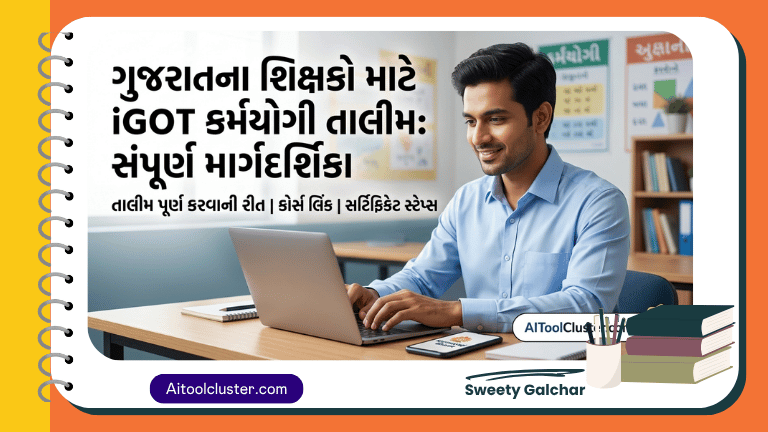
iGOT Karmayogi Training Guide for Gujarat Teachers
If you are looking for the iGOT Karmayogi login process, certificate download steps, or the official deadline, this comprehensive guide covers everything you need to know.
Why is iGOT Karmayogi Training Mandatory for Teachers?
Under the guidance of the Director of Primary Education (Gandhinagar) and following the SPIPA Video Conference held on March 18, 2026, it is now compulsory for every teacher to engage with the iGOT portal.
Key Highlights of the Official Circular:
- Deadline: March 31, 2026 (11:59 PM).
- Target Audience: All Primary and Secondary Teachers across Gujarat.
- Requirement: Completion of at least one digital course.
- Monitoring: Progress is tracked by DEOs and DPEOs at the district level.
High-Demand Courses for Gujarat Government Employees
To fulfill the requirement quickly, teachers are encouraged to enroll in these high-impact, short-duration courses:
- Understanding and Preventing Lifestyle Diseases (Duration: 28 min 30 sec) – Offered by Armed Forces Medical College.
- Work Ethics (Duration: 25 min) – Offered by Indian Railway Institute of Transport Management.
Step-by-Step Guide: How to Login and Complete iGOT Course
Following these steps ensures a smooth experience without technical errors.
Step 1: Download and Access the Platform
You can access the portal via the web or the mobile application.
- Mobile App: Download the Karmayogi Bharat app from the Google Play Store.
- Official Link: Visit the iGOT Karmayogi Portal for direct access.
Step 2: Secure Login using OTP
Note: Most Gujarat Government employees are pre-registered with their official mobile numbers.
- Click on Login (Do not click Register).
- Enter your registered Mobile Number.
- Enter the OTP received to access your dashboard.
Step 3: Search and Enroll in Courses
- Navigate to the Search Bar in the app or website.
- Type the name of the course (e.g., “Work Ethics”).
- Click on the Enroll button to start the session.
Step 4: Assessment and Certificate Download
After watching the video modules:
- Complete the final Assessment (Quiz).
- Once passed, the Completion Certificate will be automatically generated in your profile section.
Troubleshooting iGOT Login Issues
Many users face issues with OTP or profile updates. Here are some quick fixes:
- OTP Not Received: Ensure you are using the mobile number linked to your service record.
- Profile Update: While optional, updating your designation helps in better monitoring by the education department.
- Technical Support: For advanced CSS fixes or portal navigation tools, visit aitoolcluster.com.
Important Dates to Remember
| Event | Deadline / Date |
| SPIPA Video Conference | March 18, 2026 |
| Mandatory Course Completion | March 31, 2026 |
| Special Engagement Period | April 2 to April 8, 2026 |
Important Links Here
- કર્મયોગી ભારત પોર્ટલ નવ નિયુક્ત વિદ્યા સહાયકો માટે રજીસ્ટ્રેશન કરવાના સ્ટેપ્સ જોવા માટે અહીં ક્લિક કરો
- iGOT કર્મયોગી Portal પર દરેક કર્મચારીએ 2 થી 8 એપ્રિલ સુધી ઓછામાં ઓછું 4 કલાક જોડાવવાનું ફરજિયાત છે તે બાબત લેટર વાંચવા માટે અહીં ક્લિક કરો
- શિક્ષકો માટે iGOT કર્મયોગી તાલીમ સંપૂર્ણ પ્રક્રિયા | Login, Course, Certificate Downloadના સ્ટેપ્સ જોવા માટે અહીં ક્લિક કરો
- IGOT કર્મયોગી પ્લેટફોર્મ પર તાલીમમાં જોડાવવા ની એપ્માલિકેશન માટે અહીં ક્લિક કરો
- IGOT કર્મયોગી પ્લેટફોર્મ પર તાલીમમાં જોડાવવા ની લિંક માટે અહીં ક્લિક કરો
- IGOT કર્મયોગી પ્લેટફોર્મ પર તાલીમ તા.૩૧/૦૩/૨૬ સુધીમાં લેવા બાબત લેટર વાંચવા માટે અહીં ક્લિક કરો
Completing the iGOT Karmayogi training is not just a regulatory requirement but a step toward professional excellence. Ensure you finish your course before the March 31 deadline to avoid any administrative delays in your service record.
