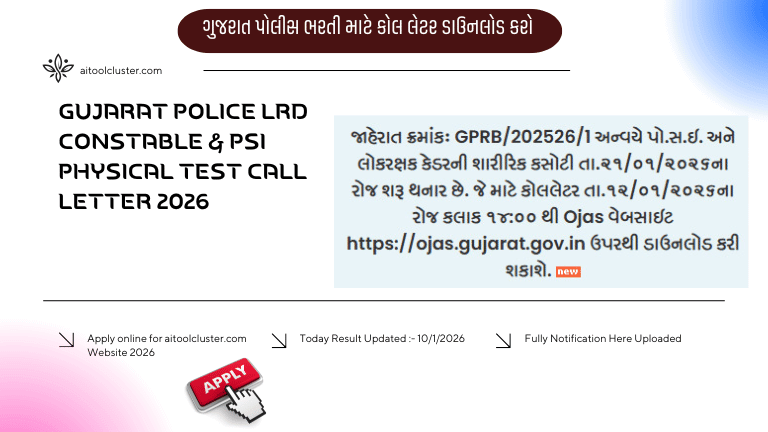
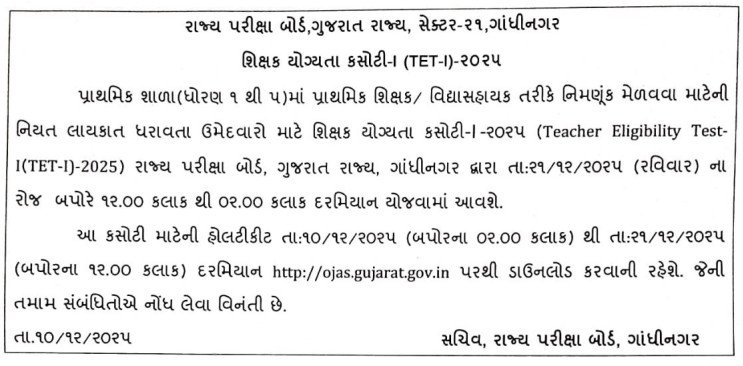
TET 1 Call Letter 2025 is a very important document for all candidates appearing in the Teacher Eligibility Test (Paper 1). Without the call letter, entry to the examination center is not allowed. Candidates who have successfully completed the application process can now download their hall ticket from the official website once it is released.
TET 1 Call Latter Download 2025
| Particulars | Details |
|---|---|
| Exam Name | Teacher Eligibility Test 1 (TET 1) |
| Category | Call Letters / Hall Ticket |
| TET 1 Exam Date | 21 December 2025 |
| TET 1 Exam Time | 12:00 PM to 02:00 PM |
| TET 1 Call Letter Download Date & Time | 10 December 2025, 02:00 PM to 21 December 2025, 12:00 PM |
| SEB Official Website | https://sebexam.org/ |
| OJAS Call Letter Download Website | https://ojas.gujarat.gov.in/ |
Documents Required at Exam Center
Candidates must carry the following items to the exam center:
- Printed copy of TET 1 Call Letter 2025
- Valid Photo ID Proof (Aadhaar Card, Voter ID, PAN Card, Driving License)
- Passport-size photograph (same as application form)
How to Download TET 1 Call Letter 2025 (Step-by-Step)
Follow these simple steps to download your TET 1 Call Letter easily:
- Visit the official TET website
- Click on the link “TET 1 Call Letter Download 2025”
- Enter your Application Number / Registration ID
- Enter your Date of Birth or Password
- Click on the Submit button
- Your call letter will appear on the screen
- Download and take a clear printout
| TET 1 Exam / Call Letter Notification PDF | Click Here |
| TET 1 Call Letter Download Link | Click Here |
Frequently Asked Questions (FAQ)
When will TET 1 Call Letter 2025 be released?
The call letter is expected to be released a few days before the exam date on the official website.
Is it mandatory to carry a printed call letter?
Yes, a printed copy of the call letter is mandatory for entry into the exam hall.
Can I download the call letter after the exam date?
No, the call letter link may be disabled after the exam date.
What should I do if I forget my login details?
Use the “Forgot Application Number / Password” option available on the login page.