
The iKhedut Portal is a dedicated digital platform launched by the Government of Gujarat to empower the farming community. It serves as a single-window system where farmers can easily access a wide range of government schemes, subsidies, and essential agricultural services.
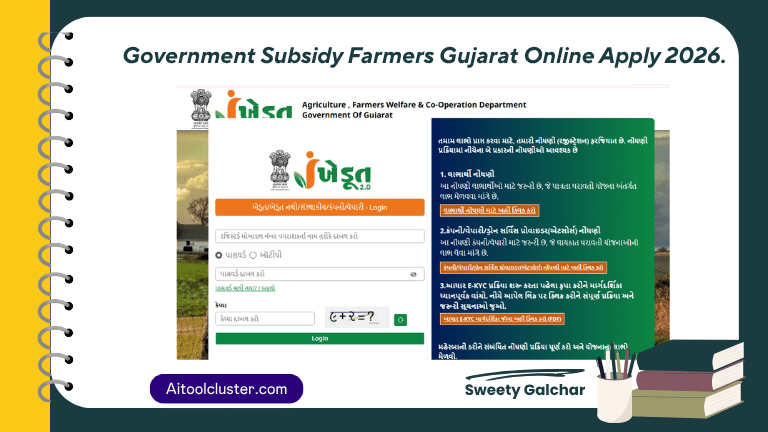
Government Subsidy Farmers Gujarat Online Apply 2026.
| Post Name | Government Subsidy Farmers Gujarat Online Apply |
| Category | Scheme |
| Portal | ikhedut |
| Post Date | 26/03/2026 |
Top Government Subsidy Farmers Gujarat Available in 2026
- Tractor Sahay Yojana: Get substantial financial assistance for purchasing new tractors.
- Agri-Drone Subsidy: A modern scheme providing help for high-tech drone spraying.
- Smart Phone Sahay: Financial aid for farmers to buy smartphones for digital agriculture.
- Solar Zatka Machine: Subsidies for solar-powered fencing to protect crops from wild animals.
- Khet Godown Yojana: Assistance for constructing storage godowns on your farm.
Documents Required for iKhedut Registration
- Aadhaar Card: Must be linked with your mobile number for verification.
- Land Records: Latest 7/12 and 8-A Utara (Land ownership proof).
- Bank Details: First page of your bank passbook or a cancelled cheque (showing IFSC code).
- Ration Card: A digital or physical copy of your ration card.
- Caste Certificate: Only required for SC/ST category applicants.
Step-by-Step Guide: How to Apply Online
Applying on the iKhedut portal is simple if you follow these steps carefully:
Step 1: Visit the Official Website Go to the official portal at ikhedut.gujarat.gov.in.
Step 2: Choose Your Category On the homepage, click on the “Schemes” (યોજના) menu. You will see categories like Agriculture, Horticulture, and Animal Husbandry. Select the one that fits your needs.
Step 3: Select the Specific Scheme A list of all active 2026 schemes will appear. Look for the specific item you want (e.g., “Tractor”) and click on the “Apply” button next to it.
Step 4: Registration Process The system will ask if you are a registered farmer.
- If you have registered before, enter your details to log in.
- If you are new, select “No” and fill in your personal, bank, and land details.
Step 5: Review and Confirm Carefully check all entered information, especially your bank account number and IFSC code. Click “Save” and then click “Confirm”. Note that you cannot edit the form after confirmation.
Step 6: Print Your Application After confirmation, take a printout of the application form. You may need to submit a signed copy to your local Gram Panchayat or Taluka office.
Important Dates
- Application Start Date: March 27, 2026
- Application Last Date: April 26, 2026
How to Check Your Application Status
- Go to the iKhedut home page.
- Click on “Check Application Status”.
- Enter your Application Number and registered Mobile Number to see the latest update.
